
Smartphone-Compatible Fitness Trackers: Features and Pairing Tips
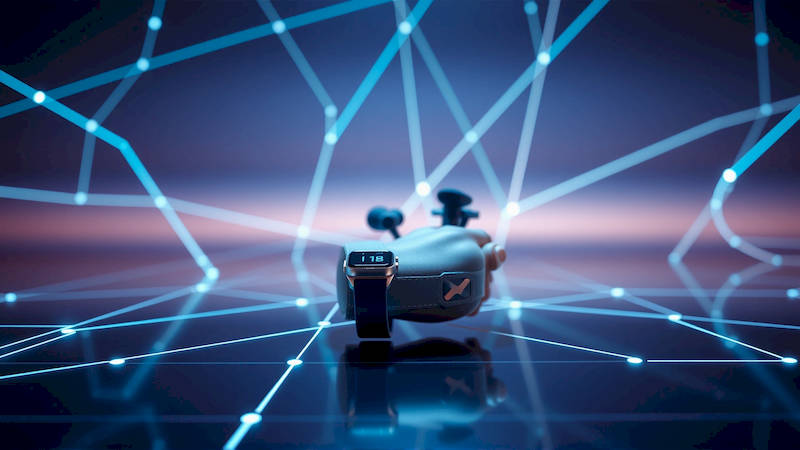
The integration of technology into our lives has extended far beyond communication and entertainment, deeply influencing how we approach health and fitness. Smartphone-compatible fitness trackers have become ubiquitous, transforming from simple pedometers into sophisticated devices capable of monitoring a vast array of physiological data. This surge in popularity is fueled by a growing awareness of personal health, combined with the convenience of seamlessly integrating tracking data with the devices we already carry – our smartphones. Choosing the right fitness tracker, however, extends beyond just brand recognition; it requires understanding compatibility, feature sets, and how effectively it will sync with your digital ecosystem.
The market is flooded with options, ranging from basic step counters to advanced multisport watches. Navigating this landscape can be daunting. This article aims to provide a comprehensive guide to smartphone-compatible fitness trackers, exploring the key features available, delving into the specifics of pairing with different operating systems and devices, troubleshooting common connectivity issues, and ultimately helping you make an informed decision about which tracker best aligns with your individual needs and fitness goals. It will also address the evolving role of these devices in a post-pandemic world focused on preventative healthcare.
- Understanding the Core Features of Smartphone-Compatible Fitness Trackers
- Pairing Your Fitness Tracker: iOS vs. Android
- Addressing Smartphone and Tracker Compatibility Issues
- The Importance of Data Synchronization and Third-Party Integrations
- Choosing the Right Tracker for Your Specific Needs
- Conclusion: Navigating the Future of Smartphone-Compatible Fitness Tracking
Understanding the Core Features of Smartphone-Compatible Fitness Trackers
Modern fitness trackers offer a spectrum of features, far exceeding simple step counting. Core functionalities include heart rate monitoring, sleep tracking, GPS for distance and pace recording, and activity tracking for various sports like running, swimming, and cycling. However, the sophistication of these features varies greatly between models and price points. Advanced trackers boast features such as blood oxygen saturation (SpO2) monitoring, electrocardiogram (ECG) capabilities (often requiring medical clearance), stress level tracking via heart rate variability (HRV), and even skin temperature sensing. These advanced metrics offer a more holistic picture of overall well-being, going beyond just physical activity.
The accuracy of these features is paramount. Heart rate sensors have improved substantially, but ambient conditions and band fit significantly impact readings. GPS accuracy is often dependent on signal strength and the quality of the receiver within the tracker. Sleep tracking, while generally useful for identifying sleep patterns, isn’t as precise as a clinical sleep study. It's crucial to understand the limitations of each feature and not rely solely on tracker data for critical health decisions. A comprehensive review of independent testing reports (like those from DC Rainmaker or The Quantified Scientist) can provide valuable insights into the accuracy of different models.
Finally, beyond the sensors themselves, the accompanying smartphone app is a critical component. The app serves as the hub for data visualization, goal setting, progress tracking, and often, social sharing and challenges. Apps with intuitive interfaces, detailed analytics, and integration with other health and fitness platforms (like MyFitnessPal or Strava) amplify the value of the tracker significantly.
Pairing Your Fitness Tracker: iOS vs. Android
Pairing a fitness tracker with a smartphone is generally a straightforward process, but nuances exist between iOS and Android. Universally, Bluetooth is the primary connection method. For iOS devices, the process typically involves downloading the tracker’s companion app from the App Store and following the on-screen instructions, which usually prompt you to enable Bluetooth and allow the app access to Bluetooth permissions. Apple’s ecosystem is tightly controlled, ensuring a relatively consistent pairing experience across different trackers. However, iOS prioritizes the tracker's app for data access, limiting some third-party integration possibilities.
Android, being more open-source, offers greater flexibility but can sometimes introduce pairing inconsistencies. The process is similar – download the app, enable Bluetooth, and follow prompts. However, Android’s Bluetooth stack varies across manufacturers and OS versions, occasionally leading to connection issues. Furthermore, Android allows more direct access to Bluetooth data, which can be beneficial for integration with third-party apps, but also introduces potential data privacy concerns. Users might need to adjust Bluetooth settings manually, clear the device's Bluetooth cache, or even restart their phone to resolve pairing problems.
Beyond initial pairing, maintaining a stable connection is crucial. Both iOS and Android allow you to manage paired devices in their Bluetooth settings, offering options to disconnect, reconnect, or "forget" a device. Regularly updating both the tracker’s firmware and the companion app is critical for ensuring ongoing compatibility and bug fixes, and to unlocking any new features.
Addressing Smartphone and Tracker Compatibility Issues
Despite advancements in Bluetooth technology, compatibility issues between fitness trackers and smartphones do arise. These issues can range from initial pairing failures to intermittent disconnections and data syncing problems. One common problem is Bluetooth interference from other devices—wi-fi routers, microwaves, and other Bluetooth-enabled devices can disrupt the connection, especially in densely populated areas. Ideally, minimize the number of active Bluetooth devices near the tracker and smartphone during pairing and syncing.
Operating system updates can also introduce incompatibility. Occasionally, a new iOS or Android update can temporarily disrupt Bluetooth communication with certain trackers. Manufacturers usually release software updates to address these issues, so keeping both the tracker and the phone’s operating system up-to-date is crucial. Another common issue is insufficient permissions granted to the companion app. Ensure the app has the necessary permissions to access Bluetooth, location services (for GPS functionality), and background app refresh (for automatic syncing).
If pairing consistently fails, consider “forgetting” the device in your smartphone’s Bluetooth settings and then re-attempting the pairing process from scratch. For more complex troubleshooting, consulting the tracker manufacturer's support website or contacting their customer service can often provide tailored solutions. It's helpful to have the tracker’s model number and your smartphone’s specifications readily available when seeking support.
The Importance of Data Synchronization and Third-Party Integrations
The true power of a smartphone-compatible fitness tracker lies in its ability to seamlessly synchronize data with your smartphone and other health platforms. Automatic syncing ensures that your activity data is consistently backed up and available for analysis. The frequency of syncing varies depending on the tracker and app, but most modern trackers offer near-real-time syncing via Bluetooth. Data synchronization allows users to monitor progress over time, identify trends, and make informed decisions about their fitness routines.
Furthermore, many fitness tracker apps offer integrations with popular third-party platforms. Integrating with a nutrition tracking app like MyFitnessPal allows you to correlate caloric intake with activity expenditure. Syncing with Strava enables you to share your activity data with a wider fitness community. Integration with Apple Health or Google Fit consolidates data from various health and fitness sources into a centralized location, providing a more comprehensive view of your well-being.
However, data privacy concerns are legitimate. Understand the data sharing practices of both the tracker manufacturer and any third-party platforms you connect to. Review privacy policies carefully and adjust sharing settings accordingly. Many trackers now offer options to encrypt data or limit the amount of information shared with third parties.
Choosing the Right Tracker for Your Specific Needs
The "best" fitness tracker isn’t a one-size-fits-all solution. Your ideal tracker depends on your fitness level, activity preferences, and budget. For casual users primarily interested in step counting and basic activity tracking, a simple, affordable tracker is sufficient. For runners or cyclists, a tracker with built-in GPS and advanced running metrics (pace, cadence, stride length) is essential. Swimmers will need waterproof trackers with dedicated swim mode.
Consider the battery life of the tracker. Some trackers require daily charging, while others can last for several days or even weeks on a single charge. Also, think about the form factor—do you prefer a wristband style, a clip-on device, or a smartwatch design? Smartwatches offer a wider range of features, including notifications, apps, and mobile payments, but typically come with a higher price tag and shorter battery life. Expert reviews, like those published by Wirecutter or TechRadar, can offer objective comparisons of different models.
Finally, think about future-proofing. Choose a tracker from a reputable manufacturer with a history of software updates and ongoing support. Consider whether the tracker supports over-the-air (OTA) firmware updates, ensuring that it will benefit from future enhancements and bug fixes.
Conclusion: Navigating the Future of Smartphone-Compatible Fitness Tracking
Smartphone-compatible fitness trackers have evolved into powerful tools for personal health management, far exceeding their initial incarnations. Understanding the core features, ensuring seamless pairing with your smartphone, troubleshooting potential issues, and leveraging the benefits of data synchronization and third-party integrations are all crucial to maximizing the value of these devices. The future of fitness tracking points towards even greater integration with artificial intelligence (AI) and machine learning (ML), enabling personalized insights, predictive health monitoring, and proactive interventions.
Key takeaways from this guide include: prioritize accuracy over novelty features, understand the limitations of the technology, pay attention to data privacy, and choose a tracker that aligns with your individual needs and lifestyle. As technology continues to advance, these devices will undoubtedly become even more sophisticated, empowering individuals to take control of their health and well-being in proactive and meaningful ways. Regularly assess your needs and consider upgrading as new technologies emerge to ensure you are leveraging the best possible tools for achieving your fitness goals.
Deja una respuesta