
Wireless Charging Pads: Compatibility Issues and Setup Tips
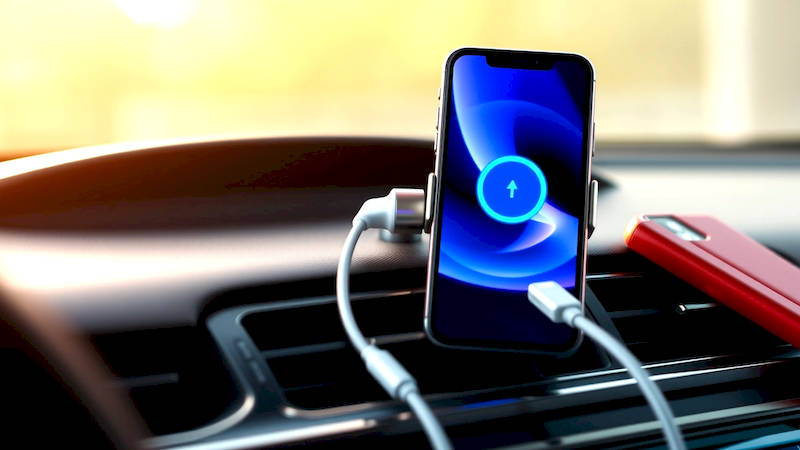
The advent of wireless charging has promised a future free from tangled cords and broken charging ports. While the technology has matured significantly, the reality isn't always as seamless as advertised. A significant hurdle for many consumers lies in the realm of compatibility – not all wireless chargers work with all devices, and even when they do work, the charging speeds can vary dramatically. This article delves deep into the landscape of wireless charging pads, exploring the common compatibility issues, offering detailed setup tips, and equipping you with the knowledge to maximize your wireless charging experience. The convenience factor is undeniable, but understanding the underlying technology is key to avoiding frustration and making informed purchasing decisions.
Wireless charging, based on the Qi standard, isn’t a universal plug-and-play solution. Factors ranging from device support and charger power output to case materials and even environmental interference can all play a role in successful charging. For a technology marketed on simplicity, the intricacies can be surprisingly complex. Beyond simple compatibility, optimizing charging efficiency and ensuring safety are also important considerations. We will unpack these intricacies, providing you with a comprehensive guide to navigate the world of wireless power.
- Understanding the Qi Standard and its Variations
- Common Compatibility Issues: A Deep Dive
- Optimizing Setup: Positioning, Power Sources & Environment
- Decoding Charger Specifications: Power Output, Protocols & Safety Features
- Troubleshooting Common Wireless Charging Problems
- The Future of Wireless Charging: Qi2 and Beyond
- Conclusion: Maximizing Your Wireless Experience
Understanding the Qi Standard and its Variations
The Qi (pronounced "chee") standard, developed by the Wireless Power Consortium (WPC), is the dominant force in wireless charging. It uses inductive charging, meaning power is transferred through an electromagnetic field between the charging pad and your device. However, Qi isn't a single, monolithic standard; it has evolved over time, leading to different versions with varying capabilities. Qi v1.2 introduced Fast Charging, allowing for up to 15W of power delivery, a substantial improvement over earlier iterations. The latest standard, Qi2, builds on this by incorporating the Magnetic Power Profile (MPP), previously used by MagSafe.
Many consumers mistakenly believe any device with a wireless charging capability inherently supports the fastest charging speeds. This isn't true. A phone advertised as supporting 15W wireless charging will only achieve that speed if paired with a charging pad also capable of delivering 15W. Often, phones will scale down their charging speed to match the capability of the slower charger. Furthermore, some manufacturers implement proprietary fast-charging extensions on top of Qi, requiring specific branded chargers to unlock their full potential. Always check the specifications of both your device and charger to understand the maximum supported power levels.
The shift towards Qi2 is significant. It improves efficiency and alignment. Previously, devices needed to be precisely centered on the charging pad for optimal power transfer. Qi2 uses magnets to snap the device into place, reducing wasted energy and ensuring a more consistent charging experience. While Qi2 is becoming more prevalent, older chargers based on the original Qi standard will continue to function with compatible devices, albeit potentially at lower speeds.
Common Compatibility Issues: A Deep Dive
Even with the proliferation of Qi-enabled devices, compatibility issues remain surprisingly common. One of the most frequent culprits is the presence of metallic objects between the phone and the charging pad. Credit cards, metal phone cases, and even some pop sockets can obstruct the electromagnetic field, preventing charging or significantly slowing it down. The metal acts as a shield, blocking the energy transfer, and in some cases can even cause the charger to overheat. This is why manufacturers often recommend removing your phone from its case while wireless charging.
Another key issue stems from the varying power profiles. As mentioned earlier, a phone rated for 15W charging may only receive 5W or 7.5W if paired with an older or less powerful charging pad. This can result in painfully slow charging times, leading users to believe their device or charger is faulty. Moreover, some Android devices utilize the Power Delivery (PD) protocol for wired charging, but may not fully support all aspects of the Quick Charge (QC) standard when charging wirelessly. This can cause inconsistencies in charging speeds across different brands of wireless chargers.
Finally, firmware and software bugs on either the device or the charger can also interfere with wireless charging. Often, applying the latest software updates to your smartphone or checking for firmware updates for your wireless charger (if applicable) can resolve such issues. Proactive confirmation of software version upgrades are essential to smooth operation.
Optimizing Setup: Positioning, Power Sources & Environment
The placement of your wireless charging pad and device is crucial for optimal performance. As discussed, proper alignment is key, especially with chargers that don't utilize magnets. Ensure the charging area is free of obstructions and that the phone is centered on the pad as much as possible. Experiment with minor adjustments to find the ‘sweet spot’ where charging initiates reliably. This becomes less crucial with Qi2 chargers due to the magnetic alignment.
The power source also plays a significant role. Connecting your wireless charger to a high-wattage USB-PD power adapter is highly recommended, particularly if you're using a fast-charging pad. Using a low-power adapter (like the one included with older iPhones) will limit the charger's output, negating the benefits of fast wireless charging. The adapter should deliver at least 20W for optimum performance with 15W capable chargers. Furthermore, avoid plugging your wireless charger into a USB hub or computer port, as these often cannot provide enough power.
Environmental factors can also interfere with wireless charging. Thick or metallic surfaces underneath the charging pad can reduce efficiency. Similarly, strong electromagnetic interference from other devices can potentially disrupt the charging process. Try to position the charger away from large metal objects and other electronic devices.
Decoding Charger Specifications: Power Output, Protocols & Safety Features
Understanding the technical specifications of wireless chargers is vital for making informed decisions. Pay close attention to the power output (measured in Watts). A higher wattage doesn’t always guarantee faster charging – it depends on your device's capabilities – but it’s a necessary condition. Look for chargers that support the Power Delivery (PD) protocol and the Qi standard (version matters!).
Beyond power output, always examine the safety features. Reputable manufacturers implement safeguards against over-voltage, over-current, and overheating. These features protect both your device and the charger from damage. Look for certifications from recognized testing organizations, such as UL (Underwriters Laboratories) or CE (Conformité Européenne). Features like Foreign Object Detection (FOD) are also crucial, as they automatically shut off the charger if a metallic object is detected between the phone and the pad, preventing potential hazards.
A warning: There’s a flood of incredibly cheap, unbranded wireless chargers available online. While tempting, these often lack critical safety features and may not adhere to Qi standards, posing a risk to your devices and even your home.
Troubleshooting Common Wireless Charging Problems
Despite taking all the necessary precautions, wireless charging can sometimes be finicky. If your phone isn't charging, start with the basics. Ensure the charger is properly plugged in and powered on. Remove the phone from its case and try again. Double-check the alignment and ensure there are no obstructions. Then, restart both your phone and the wireless charger. A simple reboot can often resolve temporary software glitches.
If the issue persists, inspect the charging pad for any visible damage. A frayed cable or a cracked surface could indicate a faulty charger. Try a different USB-PD adapter or a different power outlet. Test the wireless charger with a different Qi-enabled device to determine if the problem lies with the charger or your phone. If you suspect a software issue, check for firmware updates for both your phone and the charger. As a last resort, consider contacting the manufacturer's support team for assistance.
The Future of Wireless Charging: Qi2 and Beyond
The future of wireless charging looks bright, with Qi2 poised to become the new standard. The integration of the Magnetic Power Profile offers significant improvements in alignment, efficiency, and charging speed. However, ongoing research is exploring even more innovative technologies. Resonant charging, for example, allows for power transfer over greater distances, potentially enabling chargers that can power multiple devices simultaneously without direct contact.
Researchers are also investigating the use of radio frequencies for wireless power transfer. While still in its early stages, this technology could revolutionize how we power our devices, eliminating the need for charging pads altogether. These advancements promise a truly seamless and convenient charging experience, finally delivering on the original vision of wireless power. The continued evolution of Qi standards, combined with ongoing innovation, will undoubtedly shape the future of mobile device power.
Conclusion: Maximizing Your Wireless Experience
Wireless charging offers undeniable convenience, but ensuring a smooth and efficient experience requires understanding the nuances of the technology. Compatibility is paramount; always verify that your charger and device support the same Qi standards and power levels. Optimizing the setup, choosing a high-quality charger, and troubleshooting common issues are all essential steps. The shift to Qi2, with its magnetic alignment, represents a major step forward, but even with this enhanced standard, careful attention to detail remains critical.
Key takeaways: prioritize certified chargers, optimize placement and power source, regularly check for software updates, and don’t hesitate to troubleshoot issues. By embracing these best practices, you can unlock the full potential of wireless charging and enjoy a truly cable-free charging experience. The future of power is wireless, and with the right knowledge, you can prepare for a world where cords become a thing of the past.
Deja una respuesta