
Creating Immersive VR Learning Modules with Affordable Hardware
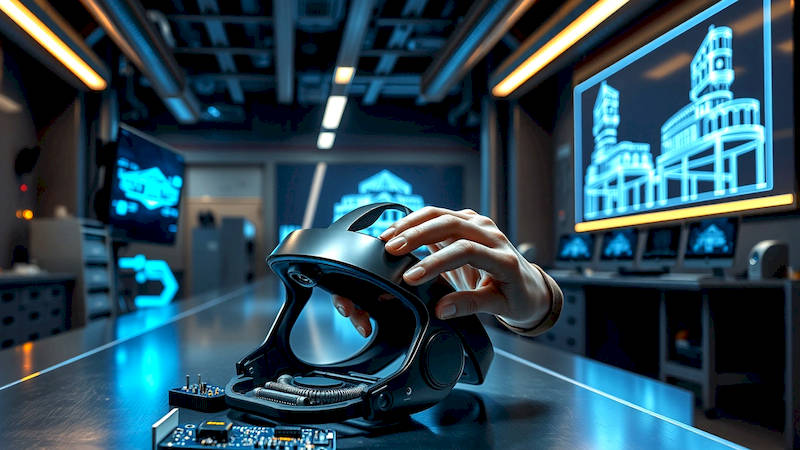
Virtual Reality (VR) is rapidly transitioning from a gaming novelty to a powerful educational tool. The promise of immersive learning – where students can experience subjects rather than simply read about them – is significantly enhancing knowledge retention and engagement. However, the cost of VR equipment has historically been a significant barrier to entry for many schools and training institutions. Thankfully, the landscape is changing. Affordable hardware options are increasingly available, coupled with intuitive development platforms, making it feasible to create impactful VR learning modules without breaking the bank. This article will explore the possibilities, outlining accessible hardware, software tools, design principles, and practical examples to help educators and trainers leverage the power of VR for truly transformative learning experiences. The potential is immense, and the time to explore it is now.
- Selecting Affordable VR Hardware for Education
- Essential Software Tools for VR Content Creation
- Designing Effective Immersive Learning Experiences
- Practical Applications: Subject-Specific VR Modules
- Overcoming Challenges: Motion Sickness and Implementation
- Leveraging 360° Video for Immersive Field Trips (Optional Section)
- Future Trends: AI-Powered VR and Personalized Learning (Optional Section)
- Conclusion: Embracing the Immersive Future of Learning
Selecting Affordable VR Hardware for Education
The common perception of VR often conjures images of expensive headsets like the Valve Index or HTC Vive Pro. While these offer top-tier experiences, they're often cost-prohibitive for broader educational implementation. Thankfully, several compelling and affordable options exist. Standalone headsets, such as the Meta Quest 2 (now Quest 3, but the Quest 2 remains a viable budget-friendly option), are a particularly attractive option. These headsets don’t require a powerful PC or external sensors, making them easy to deploy and manage in classroom settings. They offer a good balance of performance, features, and price.
Furthermore, consider smartphone-based VR solutions. While not as visually impressive as dedicated headsets, platforms like Google Cardboard (though largely superseded by better options) and more advanced smartphone VR headsets (compatible with higher-end smartphones) provide a low-cost entry point to explore basic VR concepts and applications. These are ideal for initial experimentation and introducing students to the 360-degree immersive environment without substantial investment. However, be mindful of compatibility issues and the limited processing power of smartphones, which can constrain complexity and visual fidelity.
A key consideration when choosing hardware is scalability. Investing in a solution that allows for easy deployment to multiple students simultaneously is crucial for large-scale implementation. Classroom VR kits, offering multiple headsets and management software, are increasingly available and often represent substantial cost savings compared to purchasing individual units.
Essential Software Tools for VR Content Creation
Creating VR content doesn't necessarily require deep programming expertise anymore. Several user-friendly software platforms cater to educators and those with limited coding experience. Unity and Unreal Engine are the industry standards for VR development, but they have a steeper learning curve. However, both platforms offer extensive online resources, tutorials, and asset stores that can accelerate the development process, and educational licenses are often available. For simpler, more interactive experiences, consider platforms like CoSpaces Edu, a browser-based tool specifically designed for educational VR/AR content creation.
CoSpaces Edu allows educators and students to build interactive 3D worlds and lessons without coding. It's particularly useful for creating exploratory environments, storytelling experiences, and basic simulations. Another option is Mozilla Hubs, a social VR platform that allows users to create and share virtual spaces. Hubs is great for collaborative learning experiences, virtual field trips, and hosting virtual events within a VR environment. These tools often integrate with other educational platforms and Learning Management Systems (LMS), streamlining the implementation process. The key is to select a tool that aligns with your technical skillset and the desired complexity of the learning module.
Designing Effective Immersive Learning Experiences
Creating a VR learning module that’s merely visually impressive isn’t enough; it needs to be pedagogically sound. The design process should start with clear learning objectives. What specific knowledge or skills do you want students to acquire through this experience? Carefully consider how the immersive nature of VR can best enhance understanding. For example, instead of reading about the human heart, students could virtually shrink down and travel through the circulatory system, visualizing blood flow and chamber functions firsthand.
Active learning is paramount. Avoid passive experiences where students are simply observing. Incorporate interactive elements, challenges, and problem-solving tasks. Design scenarios that require students to apply their knowledge in a realistic, simulated environment. This fosters deeper understanding and better retention. Consider incorporating elements of gamification, such as points, badges, and leaderboards, to motivate students and enhance engagement.
Practical Applications: Subject-Specific VR Modules
The possibilities for VR learning modules are vast, spanning a wide range of subjects. In history, students could explore ancient Rome or walk alongside dinosaurs. In science, they can dissect a virtual frog without ethical concerns or manipulate molecules in a three-dimensional space. For geography, virtual field trips to remote locations around the world become readily accessible. Consider the case of Stanford University's Virtual Human Interaction Lab, which developed a VR simulation to help individuals with social anxiety practice public speaking in a safe and controlled environment - a prime example of VR's ability to address real-world skills development.
Beyond core academic subjects, VR is proving valuable for vocational training. From practicing welding techniques in a risk-free environment to simulating emergency medical procedures, VR allows students to hone their skills before applying them in real-world scenarios. For example, Walmart utilizes VR training modules to prepare employees for Black Friday crowds and active shooter situations - demonstrating its utility in high-pressure environments. Focusing on these impactful, practical applications underlines the true potential of VR in education.
Overcoming Challenges: Motion Sickness and Implementation
While VR offers incredible potential, some challenges need to be addressed. Motion sickness, caused by a mismatch between visual input and the inner ear’s sense of balance, is a common issue. Several design techniques can mitigate this. Maintaining a stable horizon, avoiding sudden movements and accelerations, and providing a 'comfort mode' with limited movement options are crucial. Properly calibrated headsets and allowing students to take breaks when feeling uncomfortable are also important.
Implementation also requires careful planning. Dedicated space for VR use, adequate technical support, and teacher training are essential. Integrating VR learning modules into existing curriculum requires alignment with learning standards and assessment strategies. It's important to remember that VR should complement traditional learning methods, not replace them entirely. Furthermore, responsible use policies considering student privacy and digital wellbeing must be established and enforced.
Leveraging 360° Video for Immersive Field Trips (Optional Section)
360° video presents a relatively simple and cost-effective pathway into immersive learning. Unlike fully interactive VR experiences, 360° video offers a passive, yet engaging, way to transport students to different environments. Using affordable 360° cameras or readily available pre-recorded footage, educators can create virtual field trips to museums, historical sites, or natural wonders. Platforms like YouTube VR and Veevr support 360° video playback, and low-cost VR viewers can be used with smartphones to provide an immersive experience. While lacking the interactive elements of more complex VR modules, 360° video offers a powerful tool for exposing students to different cultures, environments, and perspectives.
Future Trends: AI-Powered VR and Personalized Learning (Optional Section)
The future of VR in education is ripe with possibilities. One exciting trend is the integration of Artificial Intelligence (AI). AI-powered VR tutors could provide personalized learning experiences, adapting to each student's pace and learning style. AI can also be used to create dynamic and responsive VR environments, enhancing realism and interactivity. Another emerging trend is haptic feedback technology, which allows users to physically feel objects and textures within the virtual world, further enhancing immersion and engagement. As VR hardware continues to become more affordable and accessible, and as software development tools become more user-friendly, we can expect to see a rapid expansion of VR learning modules across all levels of education.
Conclusion: Embracing the Immersive Future of Learning
VR is no longer a futuristic fantasy, but a viable and increasingly affordable tool for transforming education. By carefully selecting the right hardware and software, designing pedagogically sound learning experiences, and addressing potential challenges, educators can harness the power of VR to create truly immersive and engaging educational opportunities. The ability to experience concepts, rather than simply read about them, fosters deeper understanding, improved retention, and a greater passion for learning.
Investing in training for educators and strategically integrating VR into existing curricula are critical first steps. Exploring existing VR learning resources and sharing best practices within the educational community will accelerate adoption and maximize impact. The future of learning is undeniably immersive, and by embracing VR, we can equip students with the skills and knowledge they need to thrive in a rapidly changing world. The key takeaway is this: don't wait for the technology to become "perfect" – start experimenting, learning, and innovating today.
Deja una respuesta