
Top Virtual Reality Gadgets for Architects and 3D Designers
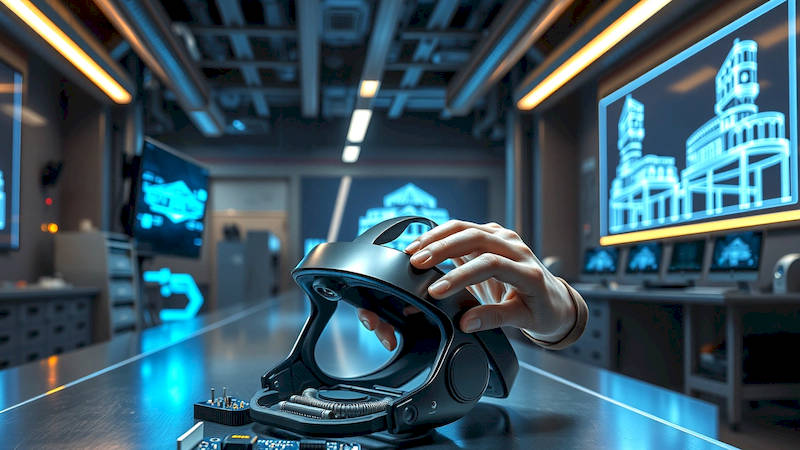
The world of architecture and 3D design is constantly evolving, driven by the need for more immersive and accurate visualization tools. For decades, architects relied on 2D blueprints and then transitioned to 3D modeling software viewed on flat screens. However, these methods often fall short in conveying the true scale, spatial relationships, and overall experience of a design. Virtual Reality (VR) is rapidly changing this paradigm, offering an unprecedented ability to step inside a design before it’s even built. And Augmented Reality (AR) is layering digital models onto the real world, providing contextual insights during site visits and client presentations. This article will dive into the top VR gadgets specifically tailored for architects and 3D designers, exploring how they can revolutionize workflows, enhance client communication, and push the boundaries of design innovation. The tools discussed aren’t simply about ‘wow’ factor; they’re about improving efficiency, reducing errors, and ultimately, creating better buildings and spaces.
The shift towards VR and AR in these professions isn’t purely technological; it's also driven by economic factors. Identifying design flaws during the design phase, using VR visualizations, is significantly cheaper than correcting them during construction – a compelling reason for adoption. Furthermore, the industry is seeing increased demand for experiential design, leaning heavily into the narrative and emotional impact of spaces. VR and AR allow for crafting and testing those experiences with far more fidelity than traditional methods. The value proposition is clear: VR and AR are transforming how architects design, present, and ultimately, realize their projects.
High-End VR Headsets: The Powerhouses of Immersion
When it comes to commercial-grade VR experiences for complex architectural models, high-end PC-VR headsets remain the gold standard. The HTC Vive Pro 2 and the Varjo Aero are at the forefront of this category, offering exceptional resolution, wide field of view, and accurate tracking. These headsets aren't intended for casual gaming; they are engineered for professional applications demanding visual fidelity and precision. They connect to powerful workstations capable of rendering highly detailed 3D models. A key benefit of the HTC Vive Pro 2 specifically, is its modularity. Its expandable ecosystem allows for upgrades and customization, as well as integration with additional trackers for full-body immersion or enhanced room-scale tracking.
Beyond raw visual power, these headsets offer environmental tracking solutions like SteamVR Tracking 2.0 (used by both Vive and Varjo). This system uses external base stations to establish accurate tracking within a defined space, crucial for navigating large-scale architectural models without drift or disorientation. Consider a firm designing a sprawling hospital complex – accurate room-scale tracking within a physical space allows designers to virtually “walk” through hallways and assess spatial relationships, mirroring the real-world experience. Smaller, more accessible options like the Valve Index also provide excellent quality, but sacrifice some of the ultra-high resolution and features present in the Pro 2 and Aero.
To truly harness the power of these headsets, a high-performance PC is essential. Minimum specifications typically include an Intel Core i7 processor, an NVIDIA GeForce RTX 3080 or AMD Radeon RX 6800 XT graphics card, and at least 16GB of RAM. Investing in a powerful machine is a necessary cost, as rendering complex architectural models in real-time demands substantial processing power. Software integration is another important consideration. Most leading architectural software packages (Revit, Archicad, 3ds Max) offer direct VR export or plugins to facilitate seamless integration with these headsets.
Standalone VR Headsets: Portability and Accessibility
While PC-VR delivers superior fidelity, standalone VR headsets like the Meta Quest 3 offer a compelling balance of portability, ease of use, and affordability. These headsets contain all the necessary hardware within the headset itself, eliminating the need for a tethered PC. They’re perfect for client presentations, on-site walkthroughs (albeit with potentially lower graphical fidelity), and quick design reviews. The Meta Quest 3 represents a significant leap forward in standalone VR, with improved resolution, processing power, and hand tracking capabilities, bridging the gap between entry-level and high-end options.
The mixed reality capabilities of the Quest 3 are especially relevant for architects. They allow for overlaying digital models onto the real world, facilitating on-site visualizations. Imagine a construction site: an architect can use the Quest 3 to virtually ‘place’ the finished building onto the foundation, helping stakeholders visualize the final product and identify potential clashes before construction progresses. However, it’s crucial to acknowledge the limitations – the Quest 3’s processing power is still less than that of a dedicated workstation, meaning complex models may need to be optimized or simplified for smooth performance.
Furthermore, software compatibility requires more consideration. While Meta has been actively expanding its ecosystem, not all professional architectural software packages have native Quest support. Workarounds often involve streaming from a PC or using third-party applications to convert models into compatible formats. The ease of deployment is a major advantage – a designer can bring a Quest 3 to a meeting and quickly share a VR experience, without needing to set up complex hardware or software configurations.
Hand Tracking and Controllers: Intuitive Interaction
Effective interaction within the virtual environment is paramount. While traditional VR controllers offer a degree of input, advancements in hand tracking technology are adding a new layer of intuitiveness. The Meta Quest 3 is a prime example, featuring significantly improved hand tracking that allows for natural gestures to manipulate objects, navigate menus, and interact with designs. Several third-party solutions like Ultraleap are also available to add hand tracking to existing headsets.
This ability to interact directly with the virtual environment using hands feels much more natural and immersive. Imagine being able to reach out and ‘grab’ a virtual door handle, or ‘scale’ a building model with your hands. For detailed design work, however, controllers still offer precision and repeatability. The HTC Vive Pro 2 controllers and Valve Index “knuckles” controllers include individual finger tracking offering more granular control. Often, a hybrid approach—using hand tracking for broad interactions and controllers for precise adjustments—provides the optimal workflow.
The integration of hand tracking and controllers with specific architectural software remains an area of ongoing development. Software developers are actively working to implement intuitive gestures and controls tailored for design tasks. Architects and designers should consider the software they primarily use when evaluating the benefits of different interaction methods.
VR Design Software: Bridging the Gap
The hardware is only half the story; the software is equally crucial. Several platforms are specifically designed for architectural visualization and design within VR. Unreal Engine and Unity are popular choices, providing the flexibility to create highly customized VR experiences. However, these require advanced programming skills. More specialized VR tools like Enscape, Twinmotion, and Arkio offer more user-friendly interfaces tailored for architects.
Enscape, for instance, integrates directly with Revit, SketchUp, Archicad, and Rhino, enabling real-time rendering and VR visualization with minimal configuration. Twinmotion focuses on creating high-quality renderings and animated visualizations, including VR support. Arkio takes a different approach, allowing multiple users to collaboratively design and review models in VR, fostering a more interactive and intuitive design process. The choice of software depends on the specific needs of the project and the user’s skill level. Arkio, for example, allows for immersive collaborative design sessions, where architects and clients can simultaneously iterate on a design in real-time.
Furthermore, the rise of metaverse platforms like Omniverse from NVIDIA is creating new opportunities for collaborative design and simulation. Omniverse allows architects to connect different design tools and share models in a shared virtual environment, facilitating seamless collaboration and real-time feedback.
Considerations for Long-Term VR Use & Ergonomics
While VR offers immense potential, it’s important to address the practical considerations for extended use. VR headsets can be heavy and uncomfortable for prolonged periods, leading to neck strain and fatigue. Investing in comfortable head straps, counterweights, and proper facial interfaces is crucial. Furthermore, motion sickness can be a common issue, particularly for users new to VR. Starting with short sessions and gradually increasing duration can help mitigate this effect. Optimizing the frame rate and reducing latency also play a significant role in minimizing nausea.
Beyond physical comfort, ergonomics within the virtual environment are equally important. Designing intuitive interfaces and interaction methods that minimize repetitive movements and strain are essential for long-term productivity. Architects and designers should prioritize workflows that leverage the strengths of VR—spatial understanding, immersive visualization—while minimizing potential discomfort. Taking regular breaks and practicing good posture are also vital for maintaining comfort and preventing fatigue.
Conclusion: The Future is Immersive
Virtual Reality is no longer a futuristic concept; it’s a present-day reality transforming the architectural and 3D design landscape. From high-end PC-VR headsets delivering unparalleled visual fidelity to the portability and accessibility of standalone devices, there’s a VR solution to fit a wide range of needs and budgets. Combining this hardware with powerful VR compatible design software unlocks unprecedented levels of immersion and collaboration. The key takeaways are clear: prioritize high resolution and accurate tracking for serious design work, consider portability and ease of use for client presentations, and invest in comfortable ergonomics for extended sessions. As AR and VR technology continues to mature and become more integrated with architectural design workflows, architects and 3D designers who embrace these tools will be well-positioned to lead the industry into a more immersive, collaborative, and innovative future. Staying informed about the latest advancements and experimenting with different hardware and software configurations is crucial to realizing the full potential of this transformative technology.
Deja una respuesta