
Setting Up and Using the Newly Launched Home Security Gadgets
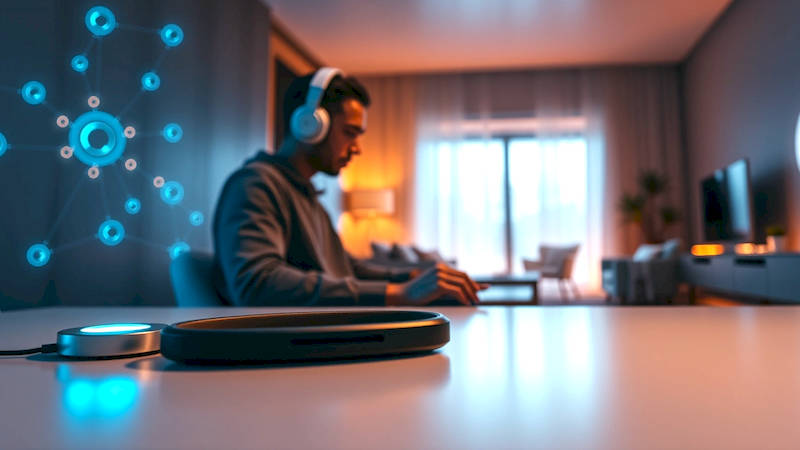
The home security landscape has undergone a dramatic transformation in recent years. Gone are the days of expensive, professionally-installed systems being the only viable option. Today, a wealth of affordable, easy-to-install, and feature-rich gadgets are available, empowering homeowners to take control of their own security. From video doorbells and smart locks to comprehensive sensor systems and AI-powered cameras, the options can be overwhelming. This article serves as a detailed guide to navigating this exciting new world, covering everything from initial setup to maximizing the effectiveness of your newly acquired smart home security arsenal. Protecting your family and property is paramount, and understanding how to best utilize these technologies is the first step towards a more secure future.
The proliferation of these devices isn’t just about convenience – it’s driven by a genuine need. According to the FBI, property crime rates, while fluctuating, remain significant, and the perception of safety significantly impacts quality of life. Furthermore, the increasingly connected nature of modern life presents new vulnerabilities, making robust cybersecurity features just as crucial as physical security measures. The good news is that manufacturers are responding, integrating sophisticated encryption, two-factor authentication, and regular software updates into their products, though vigilance on the user’s part is always required. Selecting the right combination of gadgets, and correctly implementing them, is key to achieving peace of mind.
This guide aims to move beyond basic “plug-and-play” instructions and delve into optimizing these systems for maximum effectiveness. We’ll cover crucial topics like network security, proper placement of devices, understanding alert settings, and integrating your security ecosystem with other smart home devices. We'll also address common pitfalls and provide actionable advice to help you avoid them. Finally, we’ll consider the evolving role of AI in home security and what the future holds for protecting your home.
- Initial Setup & Network Security: The Foundation of a Secure System
- Strategically Placing Your Security Devices: Maximizing Coverage & Minimizing Blind Spots
- Understanding & Customizing Alert Settings: Reducing False Alarms & Prioritizing Notifications
- Integrating Your Security System with Other Smart Home Devices: Creating a Comprehensive Ecosystem
- Cybersecurity Best Practices for Your Smart Home Security: Protecting Against Hacking & Data Breaches
- The Future of Home Security: AI, Predictive Policing & Beyond
- Conclusion: Building a Secure & Connected Home
Initial Setup & Network Security: The Foundation of a Secure System
Setting up your new home security gadgets isn’t simply about screwing in a camera or pairing a device. It begins with a solid foundation: your home network. The majority of these devices rely on a stable, secure Wi-Fi connection, and a compromised network can render even the most sophisticated security system useless. Start by changing the default password on your router. This is surprisingly often overlooked and represents a major security vulnerability. Also, ensure your router’s firmware is up-to-date, as manufacturers regularly release updates to patch security flaws. Consider enabling WPA3 encryption, the latest Wi-Fi security protocol, if your router and devices support it.
Beyond the router itself, create a separate guest network for visitors. This prevents them from accessing your primary network, where your security devices and other sensitive data reside. Many newer routers allow you to easily create and manage guest networks through their administrative interface. Furthermore, be mindful of the devices connected to your network. Regularly review the connected device list and remove any unrecognized entries. Don't fall for "phishing" scams or click on suspicious links, as these can introduce malware that compromises your network – and subsequently, your security system. Many security systems also offer two-factor authentication which significantly adds security.
Finally, upon initial setup of each device, immediately change the default username and password. Manufacturers often use standardized default credentials that are easily obtainable online, making your system a readily accessible target. Opt for strong, unique passwords for each device, utilizing a password manager to help you generate and store them securely. This initial effort is the bedrock of a robust security setup and can prevent countless headaches down the road.
Strategically Placing Your Security Devices: Maximizing Coverage & Minimizing Blind Spots
The effectiveness of your security gadgets hinges, in large part, on their placement. Randomly positioning cameras and sensors won't provide optimal protection. A thoughtful approach, considering potential entry points and areas of vulnerability, is essential. Start with the most obvious: doors and windows. Video doorbells are invaluable for monitoring activity at your front door, while contact sensors can alert you to forced entry. Place cameras strategically to cover high-traffic areas, driveways, and backyards. Consider the camera’s field of view and ensure there are no obstructions—trees, bushes, or even poorly placed furniture—blocking its vision.
Don't limit yourself to external placements. Indoor cameras can provide valuable insight into activity within your home, particularly if you have pets or children. Motion sensors strategically placed in hallways or common areas can detect unexpected movement. When positioning outdoor cameras, think about lighting. Ensure the camera has sufficient illumination at night, either through built-in infrared LEDs or by leveraging existing outdoor lighting. A poorly lit area can significantly reduce the clarity of video footage. Furthermore, consider weather protection. Select cameras rated for outdoor use and ensure they are properly shielded from rain, snow, and sunlight.
Think like a potential intruder. Walk around your property and identify potential blind spots. Where could someone enter your home unseen? Address these vulnerabilities with additional cameras or sensors. According to security expert, Ethan Hale, “Effective security is about layering defenses. Each device should complement the others, creating a comprehensive surveillance network."
Understanding & Customizing Alert Settings: Reducing False Alarms & Prioritizing Notifications
A constant stream of alerts can quickly lead to alert fatigue, diminishing the value of your security system. Adjusting and customizing your alert settings is crucial for minimizing false alarms and ensuring you receive timely notifications about genuine threats. Most security systems allow you to fine-tune motion detection sensitivity. Lowering the sensitivity reduces the likelihood of triggering alerts from pets, moving branches, or passing cars, but it also increases the risk of missing actual intrusions. Experiment to find the optimal balance.
Take advantage of geofencing features, if available. Geofencing allows you to define a virtual perimeter around your home. When you enter or leave this perimeter, the system can automatically arm or disarm itself. This is particularly useful for ensuring your system is armed when you’re away and disarmed when you’re home. Furthermore, create customized alert schedules. For example, you might want to receive alerts only during specific hours or when the system is in "Away" mode. Most systems offer several methods for receiving notifications - push notifications on your smartphone, email alerts, and even SMS messages. Select the methods that best suit your preferences.
It’s also important to learn how to differentiate between different types of alerts. Some systems categorize alerts based on severity or source (e.g., motion detected, door opened, smoke detected). This allows you to prioritize your response to the most critical events. Regularly review your alert logs to identify patterns and refine your settings. If you're consistently receiving false alarms from a specific sensor, consider repositioning it or adjusting its sensitivity.
Integrating Your Security System with Other Smart Home Devices: Creating a Comprehensive Ecosystem
The true power of modern home security gadgets lies in their ability to integrate with other smart home devices, creating a seamless and automated security ecosystem. For example, you can integrate your security cameras with smart lights. When motion is detected, the lights can automatically turn on, deterring potential intruders and providing better visibility. Similarly, you can connect your security system to a smart lock. When an intruder attempts to force entry, the system can automatically lock all doors and windows.
Voice assistant integration (Amazon Alexa, Google Assistant) adds another layer of convenience. You can arm or disarm your system, view live camera feeds, and check the status of your sensors using voice commands. However, be mindful of security implications when using voice assistants. Ensure you’ve enabled voice authentication and that your voice assistant is properly secured. Many systems can be integrated with smart displays, allowing you to view camera feeds directly on the screen.
Furthermore, explore IFTTT (If This Then That) or similar automation platforms. These platforms allow you to create custom applets that trigger actions based on specific events. For example, you could create an applet that sends you a text message if a package is delivered and the front door camera detects movement. The possibilities are virtually endless. But it's crucial to keep a running list of all integrations and occasionally audit them to ensure they are functioning as expected.
Cybersecurity Best Practices for Your Smart Home Security: Protecting Against Hacking & Data Breaches
While physical security is paramount, cybersecurity is an equally important consideration. Smart home security gadgets are connected to the internet, making them potentially vulnerable to hacking and data breaches. Take proactive steps to protect your system. Regularly update the firmware on all your devices. Manufacturers release updates to patch security vulnerabilities, so staying up-to-date is crucial. This includes your cameras, sensors, hubs, and even your router.
Strong passwords are essential, as already discussed. But also consider enabling two-factor authentication (2FA) whenever possible. 2FA adds an extra layer of security by requiring a second verification code, typically sent to your smartphone, in addition to your password. Be cautious about sharing access to your system with others. Grant access only to trusted individuals and revoke it immediately when it's no longer needed. Review the privacy policies of the manufacturers of your devices. Understand what data they collect and how they use it. Look for companies that prioritize data privacy and security.
Monitor your network activity for suspicious behavior. Most routers have security features that can alert you to potential threats. Be wary of phishing scams and avoid clicking on suspicious links. And don’t forget about the physical security of your devices. Protect your security hub and other critical components from unauthorized access.
The Future of Home Security: AI, Predictive Policing & Beyond
The future of home security is being shaped by advancements in artificial intelligence (AI) and machine learning. AI-powered cameras are becoming increasingly sophisticated, capable of distinguishing between humans, animals, and objects with greater accuracy, significantly reducing false alarms. These cameras can also learn your routines and patterns, identifying anomalies that might indicate a potential threat. Predictive policing algorithms can analyze crime data to identify areas at higher risk of burglary, allowing security systems to proactively adjust their sensitivity and alert settings.
We're also seeing the emergence of more sophisticated sensor technologies, such as those that can detect glass breaking or even subtle vibrations indicative of an attempted breach. Integration with local law enforcement is becoming more common, allowing security systems to automatically alert authorities in the event of a confirmed intrusion. However, these advancements also raise privacy concerns. Ensuring transparency and accountability in the use of AI and data analysis is crucial. As these technologies evolve, we’ll likely see a greater emphasis on personalized security solutions tailored to the unique needs and risks of each homeowner.
Conclusion: Building a Secure & Connected Home
The world of home security has undergone a revolution, offering homeowners unprecedented control and peace of mind. Implementing a robust system isn't simply about purchasing the latest gadgets; it’s about a holistic approach encompassing network security, strategic placement, customized alert settings, seamless integration, and proactive cybersecurity measures. From diligently changing default passwords and updating firmware to understanding sensor placement and tailoring alert preferences, each step contributes to a more secure environment. Don’t underestimate the power of integration – connecting your security system with other smart home devices can create a truly comprehensive ecosystem.
The key takeaways are clear: prioritize robust network security, carefully consider device placement, customize your alert settings to minimize false alarms, and stay vigilant about cybersecurity best practices. As technology continues to evolve, with AI and machine learning paving the way for more intelligent and proactive security solutions, staying informed and adaptable will be crucial. Regularly review your system, update your safeguards, and remain aware of emerging threats. By taking these steps, you can fortify your castle and protect what matters most—your family and your home.
Deja una respuesta