
Designing Custom VR Controllers: Step-by-Step Guide for Developers
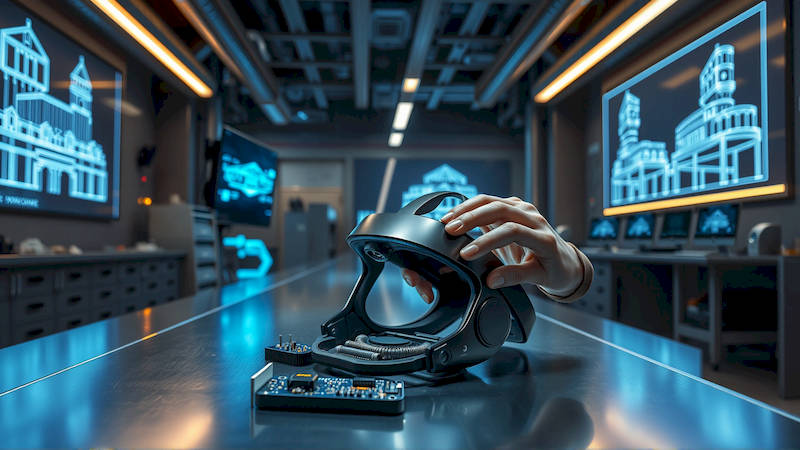
The realm of Virtual Reality (VR) is rapidly evolving, shifting from bulky headsets and limited interactions to immersive experiences demanding intuitive and precise control. While off-the-shelf VR controllers like the Meta Quest’s Touch controllers or the Valve Index Controllers are excellent starting points, they often fall short of fully realizing the potential of specialized VR applications. Developers aiming to push the boundaries of VR – particularly in areas like medical simulations, advanced gaming, or industrial training – frequently find themselves needing custom-designed VR controllers tailored to the specific nuances of their experiences. This article serves as a comprehensive, step-by-step guide for developers venturing into the world of custom VR controller design, covering everything from initial conceptualization to final implementation and testing.
The movement towards bespoke VR control schemes isn’t just about novelty; it’s about usability, efficiency, and presence. Standard controllers can feel abstract for certain tasks – imagine trying to perform delicate surgical maneuvers with a gamepad-like device. Conversely, a controller precisely molded to mimic a surgical instrument, complete with force feedback, dramatically increases immersion and training effectiveness. According to a report by Statista, the VR hardware market is projected to reach $84.09 billion in 2024, indicating a massive and growing demand for sophisticated VR experiences. Custom controllers are key to unlocking the full potential of this market, allowing developers to cater to increasingly niche and demanding applications.
This guide will not delve into the intricate details of hardware fabrication (outsourcing is often the most practical route for initial development), but will rather focus on the design process – the crucial groundwork that dictates manufacturability, usability, and overall success of your custom VR controller. We’ll cover crucial areas like ergonomic considerations, input method selection, tracking technology integration, software interaction, and rigorous testing methodologies. Whether you're a seasoned hardware engineer or a software developer dipping your toes into the hardware side, this article will provide a robust foundation for building controllers that truly enhance the VR experience.
Defining Requirements and Use Cases
Before even sketching a design, a thorough understanding of the intended application is paramount. This phase requires rigorous analysis of the user’s movements and interactions within the VR environment. What precise actions will the user need to perform? What level of dexterity and precision is required? What kind of haptic feedback is necessary to enhance the sense of presence and realism? Consider not just the what but also the how – how will users naturally attempt to perform these tasks, and how can the controller design support and enhance those natural motions?
Detailed use-case scenarios are invaluable during this stage. For example, if designing a controller for a VR painting application, meticulously map out the various brushstrokes, color selections, and canvas manipulations. Include scenarios for both beginners and experienced artists. For a medical training simulator, detail the specific surgical procedures, the instruments used, and the physical actions involved. Documenting these scenarios allows you to systematically evaluate potential designs and identify any gaps in functionality. A key consideration should be the target user – an experienced gamer will have different expectations than a first-time VR user.
Don’t underestimate the importance of existing research. Look at how similar tasks are performed in the real world. Leveraging existing ergonomic principles and established interaction paradigms can significantly reduce the learning curve for users. Furthermore, consider the physical limitations of users. Controllers should be inclusive and comfortable for a wide range of hand sizes and physical abilities.
Ergonomic Design and Form Factor
Ergonomics are at the heart of a successful VR controller. A poorly designed controller, regardless of its functionality, will lead to user fatigue, discomfort, and ultimately, a negative VR experience. The shape, size, weight distribution, and material selection all play critical roles in ensuring a comfortable and intuitive grip. Prioritize designs that allow users to maintain a natural hand posture, minimizing strain on the wrists, fingers, and arms.
The process typically starts with creating digital 3D models of hands in various poses to simulate the grip. Software like Blender, Autodesk Maya, or SolidWorks are frequently used for this purpose. Experiment with different handle shapes, button placements, and thumbstick configurations, continuously evaluating their ergonomic performance. Prototyping is crucial at this stage; 3D printing allows for rapid iteration and physical testing of different designs. "According to Nielsen Norman Group, poor ergonomics can lead to a 22% decrease in productivity and a substantial rise in user errors." This underscores the importance of investing time and resources in ergonomic design.
Consider the weight distribution within the controller. A heavily weighted controller can strain the arm and require more effort to manipulate. Strategically placing heavier components closer to the hand can improve balance and reduce fatigue. Materials should be carefully considered for both comfort and durability. Soft-touch plastics, rubber grips, and breathable fabrics can enhance comfort, while robust materials like ABS or polycarbonate ensure the controller can withstand frequent use.
Input Methods and Technology Selection
The choice of input methods will largely depend on the specific use case defined in the initial requirement gathering stage. Beyond the standard buttons, triggers, and thumbsticks, there’s a wide array of sensors and technologies to consider. Capacitive touch sensors can be integrated into the controller surface to detect finger position and gestures. Flex sensors can measure the bending of fingers, allowing for nuanced control of virtual objects. Haptic feedback mechanisms, such as linear resonant actuators (LRAs) or voice coil actuators, can simulate textures, impacts, and other tactile sensations.
More advanced options include force feedback systems that provide resistance to movement, creating a more realistic sense of interaction with virtual objects. Leap Motion or similar hand tracking solutions can be integrated directly into the controller to capture detailed hand movements without the need for physical contact. Consider the trade-offs between each technology. Force feedback systems are expensive and complex, while capacitive sensors may be susceptible to interference. Carefully weigh the cost, complexity, and benefits of each option in relation to the specific needs of your application.
Don't forget about the power source. Battery life is a critical factor. Consider the energy consumption of different sensors and actuators and choose a battery solution that provides sufficient runtime without adding excessive weight or bulk to the controller. Wireless connectivity (Bluetooth or Wi-Fi) is almost a necessity for most VR applications, enabling freedom of movement.
Tracking and Positioning Integration
Accurate tracking is fundamental to a responsive and immersive VR experience. While inside-out tracking (using cameras on the headset) is becoming increasingly common, leveraging external tracking solutions like Valve’s Base Stations can provide superior precision and reliability, particularly for demanding applications. The key is to seamlessly integrate the tracking system with the custom controller. This typically involves attaching tracking sensors or markers to the controller’s housing.
Consider the field of view and potential occlusion issues. Objects blocking the view of the tracking sensors can result in tracking loss. Design the controller shape and sensor placement to minimize these occurrences. If using a magnetic tracking system, the magnetic field’s influence and potential interference from surrounding metallic objects must be carefully considered.
The software integration with the tracking system is equally important. The VR application needs to accurately interpret the tracking data and translate it into corresponding movements within the virtual environment. Optimizing the data processing pipeline is crucial to minimize latency and ensure a smooth, responsive experience. Recent advancements in SLAM (Simultaneous Localization and Mapping) algorithms have opened up new possibilities for highly accurate and robust tracking, even in dynamic environments.
Software Interaction and API Development
Designing the hardware is only half the battle. Integrating the custom controller with your VR application requires robust software development and a well-defined API (Application Programming Interface). The API should provide a standardized way for the application to access data from the controller's sensors, interpret button presses and gestures, and send commands to the haptic feedback system.
The software architecture should be modular and flexible, allowing for easy integration with different VR engines and platforms (Unity, Unreal Engine, etc.). Consider using existing VR input libraries as a starting point, extending their functionality to support the unique features of your custom controller. Thorough documentation of the API is essential for other developers, should you choose to release the controller as a commercial product.
Pay close attention to latency. Any delay between user input and the corresponding action in the VR environment can break the illusion of presence. Optimize your code to minimize processing time and prioritize responsiveness. Implement robust error handling to gracefully handle unexpected events, such as sensor failures or tracking loss.
Prototyping, Testing, and Iteration
Rigorous testing is an integral part of the design process. Begin with functional prototypes to validate the core functionality of the controller. User testing is crucial to gather feedback on ergonomics, usability, and overall comfort. Observe how users naturally interact with the controller and identify any areas for improvement. A/B testing different design variations can help you objectively compare their performance.
Testing should cover a wide range of scenarios and user profiles. Simulate extended use to assess comfort and identify any potential fatigue issues. Subject the controller to stress tests to ensure its durability and reliability. Pay close attention to the consistency of tracking and the responsiveness of the input methods.
The iterative design process is key. Use the feedback from testing to refine the design, address any identified weaknesses, and continuously improve the user experience. Don't be afraid to make significant changes based on test results. The goal is to create a controller that feels natural, intuitive, and immersive.
Conclusion: Crafting the Future of VR Control
Designing custom VR controllers is a challenging but incredibly rewarding endeavor. By meticulously considering the requirements, prioritizing ergonomics, carefully selecting input methods, and rigorously testing the design, developers can create controllers that unlock the full potential of VR experiences. The key takeaways from this guide are the importance of thorough upfront planning, a focus on user-centric design, and a commitment to iterative improvement.
As VR technology continues to advance, the demand for custom controllers will only grow. This presents a significant opportunity for developers willing to invest the time and resources into crafting innovative and intuitive control schemes. The next step is to define your use case, start sketching designs, and begin the prototyping process. Remember that the future of VR is not just about stunning visuals; it's about the seamless and intuitive ways in which users interact with these immersive worlds, and that starts with the controller in their hands. Don't just build a controller; build a portal to a new reality.
Deja una respuesta