
Unboxing and Setup Tutorial for the Newest Multi-Room Audio Systems
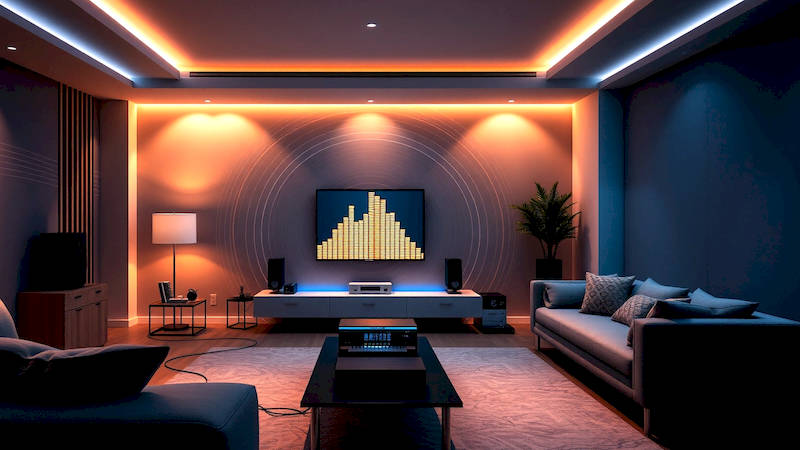
The desire for seamless audio throughout the home has propelled multi-room audio systems from a niche luxury to a mainstream expectation. No longer confined to dedicated listening rooms, music – and all audio, for that matter – is now expected to follow us effortlessly from the kitchen to the bedroom, the patio to the office. But with a growing abundance of options, choosing and setting up the right system can feel daunting. This article will provide a comprehensive guide to unboxing and setting up the newest generation of multi-room audio systems, encompassing wireless speakers, soundbars, and amplified receivers, equipping you with the knowledge to create your perfect auditory environment. We’ll move beyond simple connectivity, delving into optimization techniques and troubleshooting tips to ensure a truly immersive and user-friendly experience.
The evolution of multi-room audio has been driven by advancements in Wi-Fi technology and the proliferation of voice assistants. Early systems often relied on complex wiring and dedicated control hubs, limiting flexibility and ease of installation. Today's systems largely leverage your existing Wi-Fi network, offering simplified setup processes and integration with popular services like Spotify, Apple Music, and Amazon Music. Furthermore, the ability to control everything with voice commands – “Alexa, play jazz in the kitchen” – has dramatically increased accessibility and convenience. According to a recent report by Statista, the global multi-room audio market is projected to reach $8.13 billion by 2027, demonstrating the continued growth and consumer demand.
This guide will take you through the process from initial unboxing to final system optimization, covering both standalone wireless speaker setups and integrated systems incorporating soundbars and receivers. We’ll explore the common protocols used, discuss potential network considerations, and offer practical tips to maximize performance and enjoyment. Essentially, we aim to demystify the process so you can confidently build a whole-home audio solution tailored to your needs.
- Understanding Your Multi-Room Audio System: Components and Protocols
- Unboxing and Initial Power-Up: First Steps to Sonic Bliss
- Network Optimization: Ensuring a Stable and Reliable Connection
- Setting Up Zones and Grouping Speakers: Tailoring Audio to Your Space
- Advanced Features and Customization: Taking Your System to the Next Level
- Troubleshooting Common Issues: Resolving Connectivity and Performance Problems
- Conclusion: The Future of Sound is in Your Hands
Understanding Your Multi-Room Audio System: Components and Protocols
Before diving into the unboxing, it’s crucial to understand the core components of a modern multi-room audio system. These generally include a central hub (often integrated into a soundbar or receiver, or a separate unit for Sonos-like systems), individual wireless speakers, and, optionally, amplified receivers for connecting traditional passive speakers. Many systems also incorporate Subwoofers and surround speakers to enhance the listening experience in certain zones. Evaluate your space and desired audio quality in each room to accurately decide on the number and types of speakers you'll need for complete coverage. Consider the architectural limitations of each room as well; some spaces benefit from ceiling-mounted speakers, while others are more suited for bookshelf models.
The communication between these components relies on various wireless protocols. Wi-Fi is the most common, allowing for high-bandwidth streaming and integration with existing networks. Bluetooth is also frequently used, particularly for direct connections from smartphones and tablets, and for devices that might be temporarily added to the system. However, Bluetooth's range and potential for interference are limitations. Proprietary mesh networks, like Sonos's, offer enhanced reliability and range, though they typically lock you into that ecosystem. Understanding these protocols is important for troubleshooting and optimizing performance. For example, if you experience dropouts with Bluetooth, try moving the speaker closer to the source device or reducing interference from other wireless devices.
Finally, consider the audio codecs supported by your system. Lossless audio formats like FLAC and ALAC offer superior sound quality compared to compressed formats like MP3, but require more bandwidth. Most modern systems support a wide range of codecs, but checking compatibility is essential if you're an audiophile prioritizing sound fidelity. Many systems now also support spatial audio formats like Dolby Atmos and DTS:X, adding a new dimension to the listening experience when paired with compatible speakers.
Unboxing and Initial Power-Up: First Steps to Sonic Bliss
The unboxing process itself is relatively straightforward, but it’s important to take your time and carefully inspect each component for damage. Keep the original packaging, as it will be invaluable if you need to return or service any of the devices. Most systems will include power adapters, quick-start guides, and potentially mounting hardware for wall-mounting speakers. Once unpacked, the initial power-up is typically handled by plugging in the central hub and then individually powering up each speaker.
The first power-up often triggers an automatic pairing mode. However, some systems require you to download a companion app (Sonos, Bluesound, Denon Home, etc.) onto your smartphone or tablet. This app is the central control point for the entire system, allowing you to manage speakers, create zones, and stream music. Follow the app’s on-screen instructions to connect the hub to your Wi-Fi network. Ensure you’re connecting to the 2.4GHz band of your router if you experience persistent connection issues, as it generally offers better range than the 5GHz band, albeit at slower speeds. A stable network is paramount.
Once the hub is connected, the app will typically guide you through the process of adding individual speakers. This usually involves putting the speaker into pairing mode (often by pressing a button on the device) and allowing the app to detect it. Be patient, as this process can sometimes take a few minutes. During this stage, it’s also important to assign each speaker a descriptive name (e.g., “Kitchen Speaker,” “Living Room Surround Right”) to make it easier to manage and control the system later.
Network Optimization: Ensuring a Stable and Reliable Connection
A robust Wi-Fi network is the backbone of any multi-room audio system. If your network is unstable or congested, you’ll experience dropouts, buffering, and other frustrating issues. Start by ensuring your router is centrally located in your home and free from obstructions. Consider upgrading to a mesh Wi-Fi system if you have a large house or areas with poor Wi-Fi coverage. Mesh systems create a network of interconnected nodes, providing seamless coverage throughout your home.
Furthermore, prioritize your multi-room audio devices on your router’s Quality of Service (QoS) settings. QoS allows you to allocate more bandwidth to specific devices, ensuring they receive a consistent connection even when other devices are actively using the network. Check your router’s manual for instructions on accessing and configuring QoS. Also, minimize interference from other wireless devices, such as microwaves and Bluetooth devices, by keeping them away from your speakers and router.
As quoted by Wired magazine’s audio reviewer, Geoff Morrison, "The biggest cause of problems with multi-room audio isn't the speakers themselves, it's the network." This really underscores the importance of network stability and the need to proactively address potential issues. Utilizing a dedicated Wi-Fi channel for your audio system can also prove to be invaluable when faced with significant wireless interference.
Setting Up Zones and Grouping Speakers: Tailoring Audio to Your Space
The true power of multi-room audio lies in its ability to create zones – independent audio areas within your home. Most companion apps allow you to easily group speakers together to create zones, or play different audio sources in different zones simultaneously. For example, you might have a “Living Room” zone consisting of a soundbar and two surround speakers, and a separate “Kitchen” zone consisting of a single wireless speaker.
The app will give you options to customize each zone, adjusting volume levels, applying EQ settings, and selecting audio sources. Experiment with different configurations to find what works best for your space. Many systems now offer the ability to create "routines" or "scenes," which allow you to automatically configure zones based on specific triggers, such as time of day or voice commands. For instance, you might create a routine that automatically plays relaxing music in the bedroom at bedtime.
The ability to dynamically group and ungroup speakers is also a key feature. This allows you to easily combine zones for parties or special events, or to quickly isolate audio to a specific room when desired.
Advanced Features and Customization: Taking Your System to the Next Level
Once you've mastered the basics, explore the advanced features offered by your system. Many systems support integration with voice assistants like Amazon Alexa and Google Assistant, allowing you to control your audio with voice commands. You can also often link your system to streaming services like Spotify Connect, Apple AirPlay 2, and Tidal Connect for seamless music playback.
Furthermore, most apps offer customizable EQ settings, allowing you to fine-tune the sound to your preferences. Experiment with different EQ presets or create your own custom profiles. Some systems also support Trueplay (Sonos) or similar room correction technologies, which analyze the acoustics of your room and adjust the speaker output accordingly. Finally, explore the possibilities of connecting external sources, such as turntables or CD players, to your system via line-in connections or Bluetooth.
Troubleshooting Common Issues: Resolving Connectivity and Performance Problems
Despite careful setup, you may encounter occasional issues. Common problems include connectivity dropouts, audio distortion, and difficulty pairing devices. The first step is to power cycle the affected components – unplug them from the power outlet for 30 seconds and then plug them back in. Ensure your router’s firmware is up to date, as outdated firmware can sometimes cause compatibility issues.
If you're experiencing connectivity dropouts, check your Wi-Fi signal strength and consider moving the speaker closer to the router or adding a Wi-Fi extender. Audio distortion can be caused by a variety of factors, including incorrect EQ settings, low-quality audio sources, or faulty speakers. Experiment with different EQ presets and audio sources to isolate the issue. If problems persist, consult the system’s documentation or contact the manufacturer’s support team.
Conclusion: The Future of Sound is in Your Hands
Setting up a multi-room audio system can unlock a whole new level of auditory enjoyment, enhancing your home environment and creating a seamless listening experience. By understanding the core components, optimizing your network, and mastering the advanced features, you can create a system that perfectly suits your needs and preferences. Remember to prioritize network stability, experiment with different configurations, and don’t be afraid to explore the full potential of your chosen system.
The key takeaways are a stable network being paramount, careful speaker placement bolstering sound quality, and embracing the customization options to tailor the experience. Moving forward, consider exploring the potential of spatial audio and integration with emerging smart home platforms. The future of multi-room audio is bright, promising even greater convenience, flexibility, and immersive soundscapes. Start small, learn as you go, and enjoy the symphony.
Deja una respuesta