
Creating Custom Scenes with Smart Home Hubs for Better Convenience
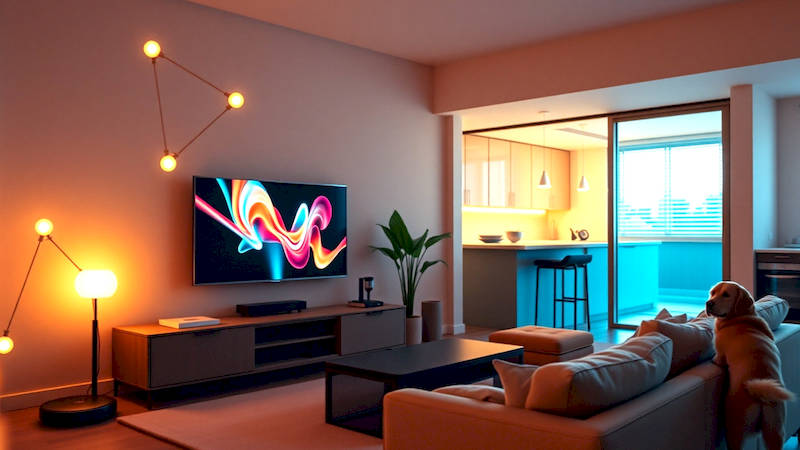
The proliferation of smart home devices has moved beyond a futuristic fantasy and firmly into mainstream reality. From voice-activated assistants to intelligent thermostats, these gadgets promise a level of convenience and control previously unimaginable. However, simply having smart devices isn't enough. The true potential is unlocked when these devices work cohesively, responding to your needs proactively and intelligently. This is where the power of custom scenes within a smart home hub becomes invaluable, transforming a collection of gadgets into a truly intuitive and automated living experience.
The foundation of this automation lies in understanding that a “scene” isn't about flashy technology; it's about replicating everyday routines or creating specific atmospheres with a single command. Instead of manually adjusting multiple devices each evening, a single voice command like “Goodnight” can dim the lights, lock the doors, adjust the thermostat, and activate a security system. The key to maximizing benefits lies in careful planning and execution, understanding the capabilities of your hub, and leveraging its functionality to build scenes that seamlessly integrate into your lifestyle.
This article will serve as a comprehensive guide to creating custom scenes with smart home hubs, offering practical advice, detailed examples, and a deep dive into the techniques that will allow you to elevate your smart home from merely connected to genuinely intelligent. We’ll explore the process from initial planning to troubleshooting, ensuring you can harness the full potential of your smart home investment.
- Understanding Your Smart Home Hub's Scene Capabilities
- Planning Your Scenes: Identifying Everyday Routines and Needs
- Step-by-Step: Building a Simple "Movie Night" Scene
- Leveraging Advanced Features: Conditional Logic and Device Triggers
- Troubleshooting Common Scene Issues
- Expanding Your Automation: Integrating with External Services
- Conclusion: Building a Smarter, More Convenient Life
Understanding Your Smart Home Hub's Scene Capabilities
Your smart home hub – be it a Samsung SmartThings Hub, Amazon Echo (with built-in routines), Google Nest Hub, or Apple HomePod – acts as the central brain of your setup. However, the capabilities of these hubs regarding scene creation vary significantly. Some hubs offer visual, drag-and-drop interfaces, while others rely on more complex scripting languages. Understanding these differences is the first step toward effective scene design. Amazon Alexa’s routines, for example, prioritize simplicity with triggered actions. Google Home routines similarly focus on ease of use, while SmartThings offers more granular control and the ability to incorporate custom device handlers and integrations, catering to more advanced users.
Crucially, not all devices are compatible with all hubs. Before diving into scene creation, conduct a thorough compatibility check. Most hubs maintain lists of supported devices on their websites. Furthermore, understand the limitations of individual device integrations. For example, some smart bulbs might support color adjustments within a scene, while others might only allow for brightness control. Investing time in this preliminary research prevents frustration and ensures a smoother scene-building process. A study by Statista in 2023 found that compatibility issues remain one of the top barriers to smart home adoption, highlighting the importance of this initial assessment.
Finally, examine the triggering mechanisms available to you. Most hubs support time-based triggers (e.g., a scene activates at sunset), voice commands (e.g., "Alexa, Movie Night"), and device-based triggers (e.g., when a door sensor opens, a scene activates). Some hubs also support geo-fencing, triggering scenes based on your location, or integration with other services, like IFTTT (If This Then That), for even more advanced automation possibilities.
Planning Your Scenes: Identifying Everyday Routines and Needs
Effective scene creation begins with a thoughtful assessment of your daily routines and comfort preferences. Don't fall into the trap of building scenes just because you can; focus on scenarios that genuinely add value to your life. Start by making a list of common activities: waking up, leaving for work, arriving home, watching a movie, going to bed, having a dinner party, and so on. For each activity, identify the specific actions you currently take with your smart devices.
For instance, consider a "Good Morning" scene. What typically happens when you wake up? Lights gradually brighten, the thermostat adjusts to a comfortable temperature, your favorite news playlist starts playing, and perhaps the coffee maker begins brewing. Break down these actions into discrete steps that your smart home hub can automate. The more detailed your planning, the more refined and useful your scenes will be. Think beyond just lights and thermostats. Consider incorporating smart blinds, smart locks, and even controlling the volume of smart speakers.
Another useful technique is identifying "pain points" in your daily routines – tasks that are repetitive, inconvenient, or easily forgotten. Can a scene automate these tasks? For example, a "Leaving Home" scene could automatically lock the doors, turn off all lights, adjust the thermostat to an energy-saving mode, and arm the security system, providing peace of mind and saving energy. A quote from David Rose of MIT Media Lab emphasizes this point: "The most successful smart home technology isn't about adding new functionality, it’s about simplifying existing ones.”
Step-by-Step: Building a Simple "Movie Night" Scene
Let's illustrate the process with a concrete example: building a “Movie Night” scene. We'll assume you're using an Amazon Echo as your hub, but the principles apply to other systems.
- Open the Alexa app: Navigate to "Routines."
- Create a new routine: Tap the "+" icon.
- Name the Routine: Enter "Movie Night."
- Select a Trigger: Choose "Voice" and enter the phrase "Alexa, Movie Night."
- Add Actions: Tap "Add Action."
- Lights: Select your living room lights and set them to 20% brightness and warm white color.
- Thermostat: Set the thermostat to 70 degrees Fahrenheit.
- Entertainment: If you have a compatible smart TV or receiver, set it to turn on and switch to the correct input.
- Volume Control: Set the volume on your Echo device to a comfortable level.
- Save the Routine: Verify the actions and save the routine.
Now, simply saying "Alexa, Movie Night" will automatically dim the lights, adjust the temperature, and prepare your entertainment system for a cozy movie experience. This simple scene shows how easily you can create a customized atmosphere with just a few steps.
Leveraging Advanced Features: Conditional Logic and Device Triggers
Once you've mastered the basics, explore the more advanced features of your hub. Conditional logic allows scenes to react differently based on specific conditions. For example, a “Good Morning” scene could check the outdoor temperature and adjust the thermostat accordingly. If it's below 60 degrees, the heat turns on; otherwise, it remains off. SmartThings, in particular, excels in this area, allowing you to build complex logic gates and conditional statements.
Device triggers enable scenes to activate based on the status of other devices. For example, a "Garage Door Open" scene could automatically turn on the garage lights and unlock the interior door connecting the garage to the house. Alternatively, a “Water Leak Detected” scene could shut off the water supply and send you an immediate alert. This type of automation is particularly useful for security and safety, providing proactive protection against potential hazards.
Troubleshooting Common Scene Issues
Even with careful planning, scene issues can arise. Common problems include devices failing to respond, scenes triggering at the wrong time, or conflicts between different routines. The first step in troubleshooting is to verify the connectivity of each device involved. Ensure they are all online and connected to your hub.
Next, check the scene's configuration. Are all the actions correctly defined? Are the devices properly selected? Also, examine the trigger conditions. Are they accurate and unambiguous? If you're using voice commands, ensure the hub is correctly interpreting your commands. Sometimes, simply renaming a routine or adjusting the trigger phrase can resolve the issue. Finally, consider potential conflicts between different scenes. If two scenes try to control the same device simultaneously, unexpected behavior can occur. Disabling or modifying one of the scenes may be necessary to resolve the conflict.
Expanding Your Automation: Integrating with External Services
The true potential of smart home scenes extends beyond the devices within your home. Integrating with external services like IFTTT can unlock a world of possibilities. For example, you can connect your smart home hub to your calendar, triggering a "Leaving for Work" scene automatically when a scheduled meeting begins. You can also integrate with weather services, adjusting your thermostat based on the forecast. IFTTT serves as a bridge between your smart home and countless other apps and devices, allowing you to create truly customized and intelligent automation experiences.
Another option is to leverage APIs (Application Programming Interfaces) offered by some smart home hubs. While requiring some technical proficiency, APIs allow you to create even more sophisticated integrations and custom routines. This opens the door to building scenes that respond to real-time data and interact with a wider range of services.
Conclusion: Building a Smarter, More Convenient Life
Creating custom scenes with smart home hubs is more than just a technological exercise; it's about reclaiming your time, enhancing your comfort, and simplifying your life. By thoughtfully planning your routines, understanding your hub’s capabilities, and leveraging advanced features like conditional logic and device triggers, you can transform your home into a truly intelligent and responsive environment.
Key takeaways from this guide include the importance of compatibility checks, detailed scene planning, troubleshooting common issues, and exploring integrations with external services. The initial investment in setup will be quickly outweighed by the ongoing convenience and peace of mind that a well-designed smart home automation system provides. Start small, experiment with different scenes, and continuously refine your setup based on your evolving needs. The journey toward a smarter home is an ongoing one, but the rewards—a more convenient, comfortable, and connected lifestyle—are well worth the effort.
Deja una respuesta