
Editing Videos on the Go: Best Portable Storage Options for Videographers
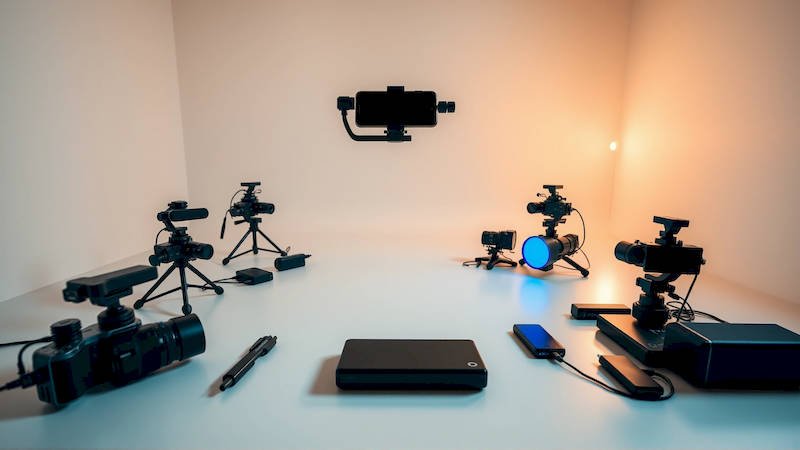
The rise of mobile filmmaking and the increasing demand for readily available content have fundamentally shifted how videographers work. No longer tethered to a studio, today’s content creators are frequently capturing and editing footage in the field – from travel vloggers documenting adventures to documentary filmmakers working in remote locations. This freedom, however, comes with a significant logistical challenge: managing and protecting massive video files while on the move. The sheer size of raw footage (especially in 4K and 8K resolutions) necessitates robust, portable storage solutions that can withstand the rigors of travel and provide the speed required for efficient editing. This article delves into the best portable storage options for videographers, analyzing different technologies, offering practical advice, and considering budget constraints to empower creators working outside the traditional studio environment.
The demand for on-the-go video editing has exploded, fueled by platforms like YouTube, TikTok, and Instagram Reels. According to a 2023 report by Statista, the global video streaming market is projected to reach $338.20 billion in 2024, demonstrating the immense volume of video content being created and consumed. As a result, videographers need solutions that can keep pace with this demand, allowing them to quickly ingest, edit, and deliver content from anywhere. Furthermore, with the growing popularity of cloud-based workflows, understanding how portable storage integrates with these systems is crucial. Choosing the right storage isn’t just about capacity; it's about reliability, speed, and integration with your existing workflow.
- Understanding Your Storage Needs: Capacity, Speed, and Workflow
- SSDs vs. HDDs: A Deep Dive into the Technologies
- Top Contenders: Highly-Rated Portable SSDs for Videography
- The Rise of RAID Solutions for Enhanced Security and Speed
- Budget-Friendly Options: Balancing Cost and Performance
- Integrating Portable Storage with Cloud Workflows
- Protecting Your Investment: Best Practices for Portable Storage
- Conclusion: Choosing the Right Solution for Your Needs
Understanding Your Storage Needs: Capacity, Speed, and Workflow
Determining the optimal portable storage solution begins with a thorough assessment of your individual needs. Consider the resolution of your footage – 4K RAW files, for example, demand vastly more storage space than 1080p ProRes. Similarly, the duration of your shoots plays a critical role. A short-form social media campaign requires less storage than a multi-day documentary production. A general rule of thumb is to overestimate your needs. Running out of space mid-shoot can halt production and lead to costly delays. For most professional videographers, starting with at least 2TB of portable storage is recommended, expanding to 4TB or more for larger projects.
Beyond capacity, speed is paramount. While transfer speeds were once limited by USB 3.0, the introduction of Thunderbolt 3 and USB 3.2 Gen 2x2 has revolutionized portable storage performance. These newer interfaces offer significantly faster read and write speeds, reducing transfer times and enabling smoother editing directly from the drive. SSDs (Solid State Drives) are significantly faster than traditional HDDs (Hard Disk Drives), making them the preferred choice for video editing. Before investing, research the sustained write speeds of different drives, as these are more indicative of real-world performance than advertised peak speeds. It’s also essential to ensure your laptop or editing device has compatible ports to take full advantage of these faster transfer rates.
Finally, consider your overall workflow. Do you primarily work with non-linear editing (NLE) software like Adobe Premiere Pro or DaVinci Resolve? Does your workflow involve frequent backups? These factors influence the type of storage you need. Someone who frequently proxies footage might prioritize speed and compatibility with proxy generation software, while someone focusing on archival might prioritize capacity and affordability.
SSDs vs. HDDs: A Deep Dive into the Technologies
For years, HDDs were the mainstay of portable storage due to their affordability and high capacity. However, the advantages of SSDs, despite their higher cost per gigabyte, have become increasingly compelling for videographers. HDDs store data on spinning platters, requiring a mechanical read/write head to access information. This mechanical process introduces inherent latency and susceptibility to damage from bumps and drops, making them less ideal for on-the-go editing. Consequently, while HDDs remain cost-effective for large-scale archival storage, they are fading in popularity as primary editing drives.
SSDs, on the other hand, use flash memory to store data, offering significantly faster read and write speeds and greater durability. This is because SSDs have no moving parts. The speed difference is substantial. A typical external HDD might achieve read/write speeds of around 120-150 MB/s, while an external SSD can easily reach speeds exceeding 500 MB/s, with high-end drives utilizing Thunderbolt 3 or 4 reaching speeds of over 2800 MB/s. “The move to SSDs for portable video editing is non-negotiable for professional work,” states Ben, a freelance filmmaker specializing in documentary work. “The time saved is massive, and the peace of mind knowing my data is less vulnerable is priceless.” The impact on editing performance, particularly when dealing with complex timelines and effects, is profound.
Top Contenders: Highly-Rated Portable SSDs for Videography
The portable SSD market is saturated with options, each with its own strengths and weaknesses. Several brands consistently receive high marks from videographers. Samsung’s T7 and T9 series are renowned for their reliability, speed, and compact designs. These drives utilize USB 3.2 Gen 2, offering excellent performance in a robust enclosure. The SanDisk Extreme PRO Portable SSD is another popular choice, leveraging NVMe technology to deliver exceptional read/write speeds, particularly when paired with a computer featuring a Thunderbolt 3 or 4 port. LaCie, known for its professional-grade storage solutions, offers the Rugged SSD, a particularly durable option designed for demanding field conditions.
Beyond these flagship brands, G-Technology's ArmorATD SSD stands out for its ruggedized design and water resistance, although, it carries a slightly higher price point. New entrants like Sabrent are offering competitive options with impressive performance stats and attractive pricing, making them worth considering. When evaluating these drives, pay attention to the warranty offered. A longer warranty is an indication of the manufacturer’s confidence in the product’s reliability. It’s also beneficial to read reviews from other videographers to gain insights into real-world performance and durability.
The Rise of RAID Solutions for Enhanced Security and Speed
For videographers working on critical projects where data security and speed are paramount, RAID (Redundant Array of Independent Disks) solutions offer an appealing approach. A RAID system combines multiple drives into a single logical unit, providing benefits such as data redundancy (protecting against drive failure) and increased read/write speeds. Different RAID configurations exist, each offering varying levels of performance and redundancy. RAID 0 stripes data across multiple drives, maximizing speed but offering no redundancy. RAID 1 mirrors data across two drives, providing excellent redundancy but halving the usable storage capacity. RAID 5 and RAID 6 offer a balance of speed and redundancy, requiring at least three drives.
However, traditional RAID configurations often involved bulky external enclosures. Now, more compact and portable RAID solutions are available, some incorporating SSDs for even faster performance. Brands like OWC (Other World Computing) and CalDigit offer portable RAID enclosures designed specifically for videographers. While RAID solutions represent a higher investment, they provide unparalleled protection against data loss and can significantly accelerate editing workflows, particularly for large, complex projects.
Budget-Friendly Options: Balancing Cost and Performance
While high-end SSDs and RAID solutions offer outstanding performance, they can be cost-prohibitive for budding videographers or those on a tight budget. Thankfully, several affordable options provide a good balance of capacity, speed, and reliability. Lower-capacity SSDs (500GB - 1TB) have become significantly more affordable in recent years, offering a substantial performance upgrade over HDDs without breaking the bank.
Consider purchasing a refurbished SSD from a reputable vendor. Refurbished drives often undergo rigorous testing and come with a warranty, providing a cost-effective alternative to buying new. Alternatively, combining an SSD for active editing with a larger-capacity HDD for archival storage can be a practical solution. This allows you to leverage the speed of the SSD for current projects while utilizing the affordability of the HDD for long-term storage. When selecting a budget-friendly option, prioritize SSD technology over HDD. The performance gains will noticeably improve your editing experience.
Integrating Portable Storage with Cloud Workflows
The cloud is playing an increasingly important role in video editing workflows. Services like Frame.io, Vimeo, and even Dropbox offer cloud-based collaboration and storage, allowing videographers to share footage and projects with clients and collaborators in real-time. Integrating portable storage with these cloud workflows requires careful planning. Regularly backing up your portable drives to the cloud provides an extra layer of security against data loss. Utilizing cloud-based proxy generation can also streamline editing workflows, particularly when working with high-resolution footage over a slower internet connection.
Moreover, some cloud services offer direct integration with external drives, allowing you to seamlessly upload and download footage. When choosing a cloud service, consider factors such as storage capacity, bandwidth, security features, and collaboration tools. Understanding how your chosen cloud service interacts with your portable storage setup is crucial for a smooth and efficient workflow.
Protecting Your Investment: Best Practices for Portable Storage
Regardless of the type of portable storage you choose, protecting your investment is paramount. Always use a protective case or sleeve to shield the drive from physical damage. Avoid exposing the drive to extreme temperatures or humidity. Regularly back up your data to multiple locations – ideally, a combination of local storage (another external drive) and cloud storage. Enable encryption to protect your data from unauthorized access. And finally, handle the drive with care, avoiding drops and excessive movement during transfer. “Treat your portable storage like you’d treat your camera – with respect,” advises Sarah, a wedding videographer. "It holds your livelihood." Adhering to these best practices will help ensure the longevity and reliability of your portable storage, safeguarding your valuable footage.
Conclusion: Choosing the Right Solution for Your Needs
Selecting the best portable storage for videography necessitates a careful evaluation of your individual needs, budget, and workflow. While SSDs have become the industry standard for on-the-go editing, offering significant speed and durability advantages over HDDs, the ultimate choice depends on your specific requirements. RAID solutions provide enhanced data security and performance, but come at a higher cost. Budget-conscious videographers can find affordable options without compromising on SSD technology.
Ultimately, the goal is to create a storage solution that seamlessly integrates with your workflow, empowering you to capture, edit, and deliver stunning video content from anywhere. Prioritize speed, reliability, and data security. Regularly back up your data. Invest in a robust protective case. And stay informed about the latest advancements in portable storage technology. By following these guidelines, you can ensure that your portable storage becomes a vital asset, not a bottleneck, in your video creation process.
Deja una respuesta