
Best external controllers compatible with smartphones for gaming
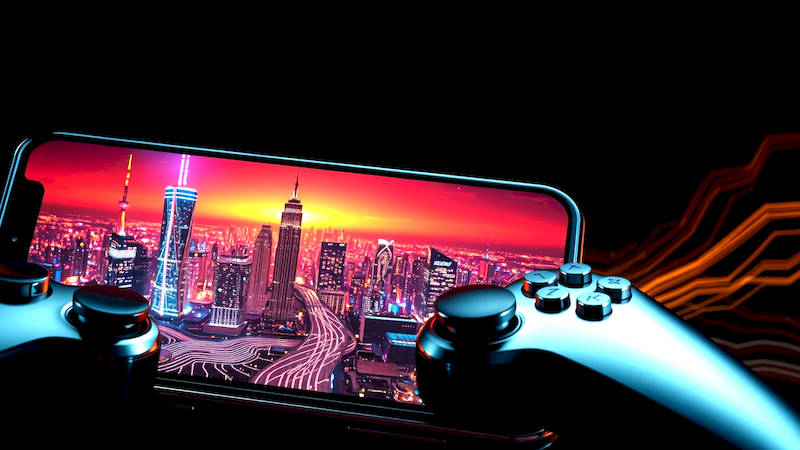
The rise of mobile gaming has been nothing short of phenomenal. What began as a simple pastime with titles like Snake has evolved into a multi-billion dollar industry boasting graphically intensive games and competitive esports scenes. However, one persistent challenge for serious mobile gamers has been control. Touchscreen controls, while functional, often lack the precision and tactile feedback demanded by complex games. This is where external controllers come in. They offer a significantly improved gaming experience, bridging the gap between mobile convenience and console-level control. This article will delve into the world of smartphone gaming controllers, exploring the best options available, connectivity methods, compatibility considerations, and ultimately, helping you choose the perfect controller to elevate your mobile gaming.
The demand for enhanced mobile gaming experiences is fueled by several factors. Firstly, the sheer quality of mobile games has increased dramatically, with titles like Genshin Impact, Call of Duty: Mobile, and Diablo Immortal offering experiences comparable to their console and PC counterparts. Secondly, the accessibility of smartphones – almost everyone carries a powerful gaming device in their pocket – has removed barriers to entry. And thirdly, the growth of cloud gaming services like Xbox Cloud Gaming and GeForce NOW allows players to stream demanding console games to their phones, further increasing the need for robust control solutions. As the mobile gaming landscape continues to mature, the importance of external controllers will only increase.
Choosing the right controller isn’t simply about finding the cheapest option. Factors like ergonomics, build quality, connectivity, compatibility, and included features all play a crucial role. This article aims to be your comprehensive guide, helping you navigate the diverse market and make an informed decision based on your individual needs and preferences. We’ll examine everything from budget-friendly options to premium controllers designed for serious competitive play, ensuring you gain the insight needed to maximize your mobile gaming potential.
- Understanding Controller Connectivity: Bluetooth, Wired, and Adapters
- The Powerhouses: Premium Controller Options
- Budget-Friendly Champions: Excellent Controllers Without Breaking the Bank
- Compatibility Considerations: iOS, Android, and Cloud Gaming
- Ergonomics and Features: What to Look for in a Controller
- Beyond Gaming: Multifunctionality and Accessory Ecosystems
- Conclusion: Choosing the Right Controller for Your Mobile Gaming Needs
Understanding Controller Connectivity: Bluetooth, Wired, and Adapters
The primary method for connecting external controllers to smartphones is Bluetooth. Most modern smartphones support Bluetooth 5.0 (or later), offering a stable and relatively low-latency connection. Many controllers, like the 8BitDo Pro 2, are specifically designed for Bluetooth connectivity, boasting broad compatibility with Android and iOS devices. However, Bluetooth isn’t without its drawbacks. Potential latency issues, while improving with newer standards, can still be a concern for fast-paced action games. Battery life on the controller itself is also a factor to consider when relying on Bluetooth.
Wired connections provide a more reliable and usually lower-latency alternative, although they are less common. Some smartphones, particularly those aimed at gamers, retain a headphone jack, allowing you to connect a controller directly using a USB-C cable. This eliminates the potential for Bluetooth interference and ensures a consistent connection, particularly valuable for competitive gaming. However, the need for a cable can restrict portability and may not be compatible with all phone cases.
For controllers not natively compatible with your smartphone, or for those wanting to use older console controllers, adapters represent a versatile solution. Products like the 8BitDo Ultimate Adapter allow you to connect devices like PlayStation DualShock 4/DualSense and Xbox controllers to your phone via Bluetooth or wired connections. These adapters often offer additional features like customizable button mapping and compatibility with various operating systems. Selecting the correct connectivity method depends heavily on your priorities - portability, latency, and compatibility should all be weighed carefully.
The Powerhouses: Premium Controller Options
When it comes to premium options, the Xbox Wireless Controller stands out as a widely recognized and highly regarded choice. Its comfortable, ergonomic design, familiar button layout, and excellent build quality make it a favorite among gamers across platforms. While officially designed for Xbox, it connects seamlessly to Android devices via Bluetooth. iOS compatibility requires a software update and may occasionally present minor connection issues, but it’s generally reliable. The controller’s low latency and precise inputs make it ideal for demanding games. The price point, however, is higher than many other options.
Razer’s Kishi V2 is another premium contender, specifically designed for mobile gaming. Unlike traditional controllers, the Kishi V2 features a unique "phone-clamping" design, securing your smartphone between two halves of the controller. This creates a unified, console-like experience and eliminates potential latency issues often associated with Bluetooth connections. This design also charges your phone directly while you play, mitigating battery drain. The Kishi V2 is known for its responsive buttons, comfortable grips, and compatibility with a wide range of Android and iOS devices, but the price is positioned at the higher end of the market. The physical connection prevents future compatibility issues with ever-changing smartphone dimensions, however.
Finally, the Backbone One takes a similar approach to the Kishi V2 with its phone-clamping design. It prioritizes a seamless integration with iOS devices and the Backbone app, offering curated game recommendations, streaming integrations, and social features. Its premium build quality and ergonomic design make it comfortable for extended gaming sessions. However, its focus is heavily geared towards the Apple ecosystem, with limited Android support. All these premium options also offer greater software customization than entry-level controllers.
Budget-Friendly Champions: Excellent Controllers Without Breaking the Bank
While premium controllers offer top-tier performance and features, excellent options are available for those seeking a more affordable solution. The 8BitDo SN30 Pro+ is consistently praised for its retro-inspired design and impressive functionality. It offers Bluetooth connectivity, excellent build quality, and compatibility with multiple platforms, including Android, iOS, Nintendo Switch, and PC. The SN30 Pro+ supports customizable button mapping and macro programming, adding a layer of customization often found in more expensive controllers.
The GameSir T4 Mini stands out as an exceptionally affordable and compact option. Despite its lower price point, it offers surprisingly good build quality and a comfortable grip. It connects via Bluetooth and is compatible with both Android and iOS devices. While it may not have all the bells and whistles of premium controllers, it delivers a solid gaming experience and is perfect for casual gamers or those just starting to explore mobile gaming with a controller.
IINE also offers a range of budget controllers, often available with customizable designs. These controllers typically fall within a similar price range as the GameSir T4 Mini and offer Bluetooth connectivity and compatibility with Android and iOS. While build quality might not be as robust as higher-end options, they provide a practical and affordable way to enhance the mobile gaming experience. These options demonstrate that quality gaming doesn't necessarily require a substantial financial investment.
Compatibility Considerations: iOS, Android, and Cloud Gaming
Controller compatibility can be a complex issue. While Bluetooth controllers generally work seamlessly with Android devices, iOS compatibility can sometimes be more finicky. Apple’s stricter hardware and software requirements mean that not all Bluetooth controllers are officially supported. It’s crucial to check the controller manufacturer’s website to confirm iOS compatibility before purchasing. The Game Controllers framework in iOS has improved compatibility over the years, but inconsistencies occasionally arise.
Android compatibility is generally broader, but variations in Android versions and device manufacturers can occasionally cause issues. Some Android devices may have compatibility issues with specific controller profiles, requiring you to adjust controller settings or use a third-party mapping app. Cloud gaming services like Xbox Cloud Gaming and GeForce NOW also require compatible controllers. They usually offer lists of supported devices on their websites. It’s crucial to verify compatibility with your chosen cloud gaming service before investing in a controller.
Furthermore, game-specific compatibility is often overlooked. Some mobile games offer native controller support, providing a seamless experience with optimized button mappings. Others require you to manually map buttons using a third-party app like Panda Gamepad Pro (Android) or ControllerMate (iOS). Researching game compatibility is essential for a smooth gaming experience.
Ergonomics and Features: What to Look for in a Controller
Ergonomics are paramount when choosing a gaming controller, especially for extended gaming sessions. Consider the size and shape of the controller, ensuring it fits comfortably in your hands. Contoured grips and textured surfaces can significantly improve comfort and reduce hand fatigue. For larger hands, controllers like the Xbox Wireless Controller are often preferred. Smaller hands might find the 8BitDo SN30 Pro+ or GameSir T4 Mini more comfortable.
Beyond ergonomics, several features can enhance the gaming experience. Programmable buttons allow you to customize button mappings for specific games, optimizing control schemes for your playstyle. Analog sticks with adjustable sensitivity provide greater precision and control. Haptic feedback offers immersive sensations, particularly in games with detailed environments. Motion controls, found in some controllers, allow you to use motion sensors for gameplay.
Consider the controller’s build quality and durability. A well-built controller will withstand frequent use and accidental drops. Metal components and high-quality plastics contribute to increased durability. Finally, assess the battery life of the controller. Longer battery life is crucial for extended gaming sessions away from a power source.
Beyond Gaming: Multifunctionality and Accessory Ecosystems
Some controllers extend beyond gaming, offering enhanced functionality for other applications. Controllers with gyroscope and accelerometer support can be used for controlling drones, virtual reality experiences, and even mobile photography. These features expand the versatility of the controller, making it a worthwhile investment beyond gaming.
Furthermore, the accessory ecosystem surrounding controllers can add significant value. Wireless charging docks allow you to conveniently charge your controller. Protective cases safeguard your controller from damage during travel. Thumb grips enhance analog stick precision and comfort. Headset jacks allow you to connect headphones for immersive audio.
The 8BitDo brand, in particular, supports a vibrant community and ecosystem by offering several optional accessories like upgraded buttons and different grip styles. This allows for an even more personalized and optimized gaming experience. Considering these options can transform a good controller into a truly exceptional and versatile gaming companion.
Conclusion: Choosing the Right Controller for Your Mobile Gaming Needs
The world of smartphone gaming controllers has exploded in recent years, offering a wealth of options to enhance your mobile gaming experience. From premium powerhouses like the Razer Kishi V2 and Xbox Wireless Controller to budget-friendly champions like the 8BitDo SN30 Pro+ and GameSir T4 Mini, there’s a controller to suit every gamer’s needs and budget. Understanding the nuances of connectivity – Bluetooth, wired, and adapters – is crucial for minimizing latency and maximizing compatibility.
Ultimately, the best controller is the one that feels most comfortable in your hands and offers the features that matter most to you. Consider your preferred gaming genres, your smartphone’s operating system, and your budget. Don't underestimate the importance of ergonomics, build quality, and accessory options. By carefully weighing these factors and utilizing the information provided in this guide, you can confidently choose the perfect controller to unlock the full potential of mobile gaming and elevate your gameplay to new heights. Remember to research game-specific compatibility and be prepared to potentially utilize button-mapping software for optimal control – level up your game, one button press at a time!
Deja una respuesta