
The Science Behind Battery Swelling and How to Prevent It
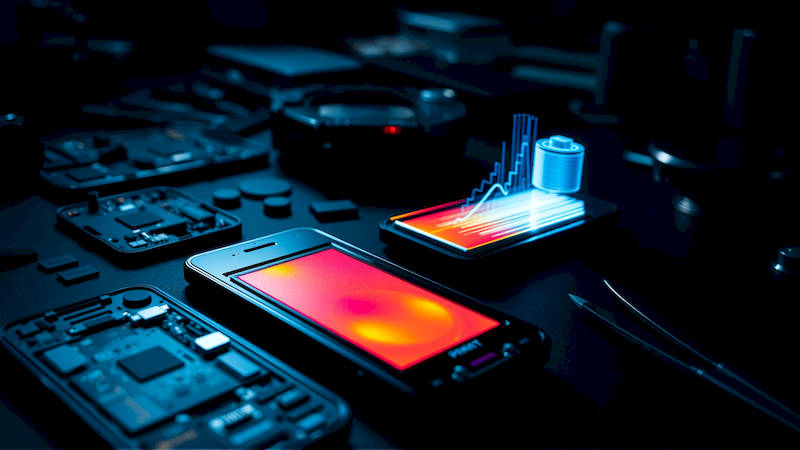
The smartphone has become an indispensable part of modern life, serving as our connection to the world, a productivity tool, and an entertainment hub. Yet, this complex technology relies on a delicate power source – the lithium-ion battery. While generally safe and reliable, these batteries are susceptible to a concerning issue: swelling. Battery swelling isn't just a cosmetic problem; it can pose serious safety risks, from device malfunction to potential fire hazards. Understanding the science behind this phenomenon, its causes, and crucially, how to prevent it, is paramount for every smartphone user. This article will delve deep into the intricacies of lithium-ion battery swelling, offering practical advice and actionable steps to safeguard your device and yourself.
This isn’t a rare occurrence. Reports of swollen smartphone batteries are increasingly common, cropping up in online forums, news articles, and even manufacturer recall notices. Ignoring the early signs can lead to severe consequences, including damage to the phone itself, injury from the expanding battery, or even a fire. Proactive awareness and preventative measures are therefore vital, turning a potentially dangerous situation into a manageable one. This guide provides a comprehensive analysis of this issue, addressing both the scientific underpinnings and the practical solutions.
- The Chemistry of Swelling: What's Happening Inside Your Battery?
- Identifying the Signs: Recognizing Battery Swelling Early On
- Preventing Swelling: Best Practices for Battery Health
- The Impact of Software and Fast Charging Technologies
- Dealing with a Swollen Battery: Safety First!
- The Future of Battery Technology: Solid-State and Beyond
The Chemistry of Swelling: What's Happening Inside Your Battery?
Lithium-ion batteries aren’t single, monolithic entities; they’re intricate systems comprised of an anode (negative electrode), a cathode (positive electrode), an electrolyte, and a separator. During normal operation, lithium ions move between the anode and the cathode through the electrolyte, generating the electrical current that powers your device. A key element of this process is the electrolyte, which is typically a flammable organic solvent. Battery swelling primarily occurs due to the creation of gases within the battery cell, driven by undesirable chemical reactions. One of the most common culprits is the decomposition of the electrolyte, releasing gases like carbon dioxide, hydrogen, and methane.
These gas-producing reactions are often accelerated by factors like overcharging, physical damage, and extreme temperatures. When a battery is repeatedly overcharged, it creates a condition known as overpotential, which forces more lithium ions into the anode than it can structurally accommodate. This excess lithium can then react with the electrolyte, forming gas. Similarly, physical damage – even minor – can compromise the battery's internal structure, creating pathways for unwanted reactions and gas leakage. Expert battery researcher, Dr. Shirley Meng from the University of California, San Diego, notes that "The stability of the solid electrolyte interphase (SEI) layer is critical. Its degradation fuels gas formation, ultimately leading to swelling."
Finally, exposure to high temperatures (direct sunlight, leaving your phone in a hot car) significantly increases the rate of these chemical processes, exacerbating the issue. The internal pressure buildup from these gases causes the battery to swell, often visibly distorting the phone’s case. Without intervention, this pressure continues to rise, expanding the battery and increasing the risk of rupture.
Identifying the Signs: Recognizing Battery Swelling Early On
Early detection is crucial when dealing with a potentially swollen battery. The symptoms aren’t always immediately obvious, starting with subtle changes. One of the first indicators is a slight bulge or deformation of the phone’s back cover, display, or sides. This might appear as a small gap developing between the screen and the frame, or a slight curve in what was previously a flat surface. Don't dismiss these seemingly minor changes; they are often the first visible sign the battery is experiencing internal pressure. Often, users might notice difficulty pressing the screen flush against the device.
Beyond visual cues, there are functional indicators. A rapidly draining battery, even after a full charge, can signal a problem. Similarly, a phone that unexpectedly shuts down even with sufficient battery percentage should raise a red flag. In advanced stages, the swelling can be quite dramatic, visibly separating the phone’s components and potentially cracking the screen. A case study highlighted by iFixit, a popular repair resource, detailed a phone where the swollen battery actually pushed the screen completely off the device. Another key sign is a noticeable change in the phone's temperature – if it feels unusually warm or hot to the touch, especially during charging or usage, immediately investigate.
Remember to exercise extreme caution if you suspect battery swelling. Do not attempt to diagnose the problem by pressing on the battery or attempting to disassemble the device. This could potentially rupture the battery and cause a fire or chemical burn.
Preventing Swelling: Best Practices for Battery Health
Prevention is always the best strategy. Implementing mindful charging habits and minimizing environmental stressors can significantly extend your battery's lifespan and reduce the risk of swelling. Avoid "topping off" your battery – repeatedly charging from 80% to 100% puts undue stress on the battery chemistry. Instead, allow the battery to discharge to around 20% before recharging. Many modern smartphones offer optimized charging features that learn your charging habits and adjust accordingly; utilizing these features is highly recommended.
Furthermore, avoid exposing your phone to extreme temperatures. Never leave it in direct sunlight or in a hot car, and avoid using it for extended periods in very cold environments. The ideal operating temperature range for lithium-ion batteries is between 20°C (68°F) and 25°C (77°F). Using a quality charger and cable is also essential. Cheap, unofficial chargers may not adhere to safety standards and can deliver inconsistent voltage, leading to battery damage. Consider investing in a fast charger, but ensure it's compatible with your device and supports power delivery (PD) or Quick Charge (QC) standards to avoid overvoltage issues.
The Impact of Software and Fast Charging Technologies
Software plays a surprisingly significant role in battery health. Keep your phone's operating system up-to-date, as manufacturers often release software updates that include battery management improvements and optimized charging algorithms. These updates may limit charging to 80% overnight (like Apple's Optimized Battery Charging) to reduce long-term wear and tear. Furthermore, be mindful of the apps you have running in the background. Apps constantly checking for updates or tracking your location can drain the battery and contribute to heat generation.
Fast charging technologies, while convenient, can also accelerate battery degradation if used excessively. While modern fast charging systems include safety mechanisms to prevent overvoltage and overheating, repeated use of high-wattage charging still generates more heat than standard charging. Consider using standard charging overnight and reserving fast charging for situations where you need a quick power boost. A study by Battery University showed that consistent fast charging can reduce battery capacity by 20-30% more than standard charging over the same period.
Dealing with a Swollen Battery: Safety First!
If you've confirmed that your battery is swollen, prioritize safety above all else. Do not attempt to charge or use the device. Immediately power down the phone and disconnect it from any power source. Do not attempt to disassemble the phone yourself. Lithium-ion batteries contain flammable materials, and puncturing or damaging the battery can cause a fire or explosion.
The safest course of action is to contact the phone's manufacturer or a reputable repair shop specializing in battery replacements. Many manufacturers offer battery replacement programs, often at a subsidized cost. When transporting the device to a repair shop, place it in a fireproof container (such as a lithium battery safety bag, available online) and handle it with extreme care. Do not store the swollen device in a flammable environment. Dispose of the battery properly through a certified e-waste recycling facility. Never throw a swollen battery in the trash, as it poses a significant fire hazard.
The Future of Battery Technology: Solid-State and Beyond
The search for safer and more durable battery technologies is ongoing. Solid-state batteries, which replace the flammable liquid electrolyte with a solid electrolyte, are widely considered the next major advancement in battery technology. These batteries promise higher energy density, faster charging times, and significantly improved safety due to the elimination of the flammable electrolyte. While solid-state batteries are still under development and currently expensive to produce, several companies, including Toyota and Samsung, are making significant progress towards commercialization.
Other promising technologies include lithium-sulfur batteries and sodium-ion batteries. These alternative chemistries offer potential advantages in terms of cost, sustainability, and energy density. While these are still in earlier stages of development compared to solid-state, with continued innovation, they could provide viable long-term solutions to the challenges associated with conventional lithium-ion batteries.
In conclusion, battery swelling is a serious issue rooted in the complexities of lithium-ion battery chemistry. Understanding the causes, recognizing the early warning signs, and implementing preventative measures are essential for ensuring your safety and prolonging the lifespan of your smartphone. By following the best practices outlined in this guide – optimizing charging habits, minimizing exposure to extremes, and prioritizing safety when dealing with a swollen battery – you can significantly reduce the risk and protect yourself from potential harm. Stay informed, be vigilant, and remember: when in doubt, seek professional assistance. The future of battery technology holds promise for safer and more reliable power sources, but until then, responsible usage and proactive care remain critical.
Deja una respuesta